Your First 30 Days With an AI Customer Service Chatbot, Week by Week: From Empty Knowledge to Trusted Answers
AI customer service chatbot projects rarely fail on day one; they fail in week three, when nobody has checked the answers and the first odd question gets a bad reply. This guide gives you a calm 30-day plan: what to teach it in week one, how to watch it in week two, when to let it run alone in week three, and what to review in week four. Every step uses features LiveChatBot already has, and you can start free.
⚡ In short
- Week 1: teach the bot your 20 most-asked answers and set the rules it follows.
- Week 2: stay in the inbox, watch every bot reply and fix the weak ones.
- Week 3: add opening hours, handover and tickets so nothing is lost after hours.
- Week 4: read the Reports, keep what works and extend to the next 20 questions.
Why a plan
Why an AI customer service chatbot needs a month, not a switch
Customers judge a bot in one message. If the first answer is wrong, they stop trusting it and ask for a person. That is why launching everything on a Monday and hoping is risky.
A staged start fixes this. Begin with answers you are sure about and widen only after you have seen real chats. The bot learns your business as fast as you write it down, so the work is mostly writing.
You also need no developer. The AI Agent in LiveChatBot is set up from the dashboard, and the same inbox your team uses shows what the bot said. If you want the wider picture of how bots and people split the work, read our guide to bots and AI in customer service.
Real screens
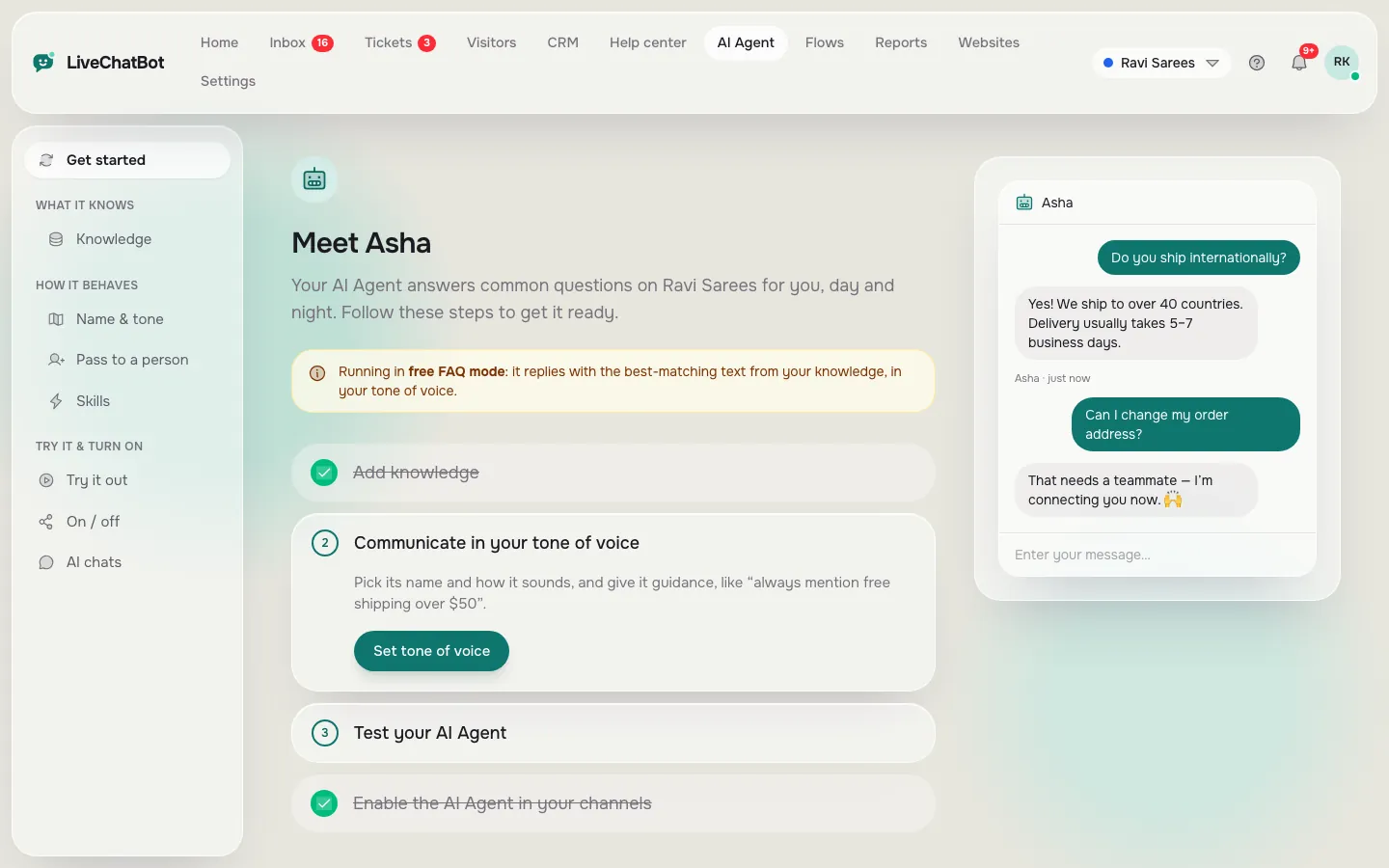
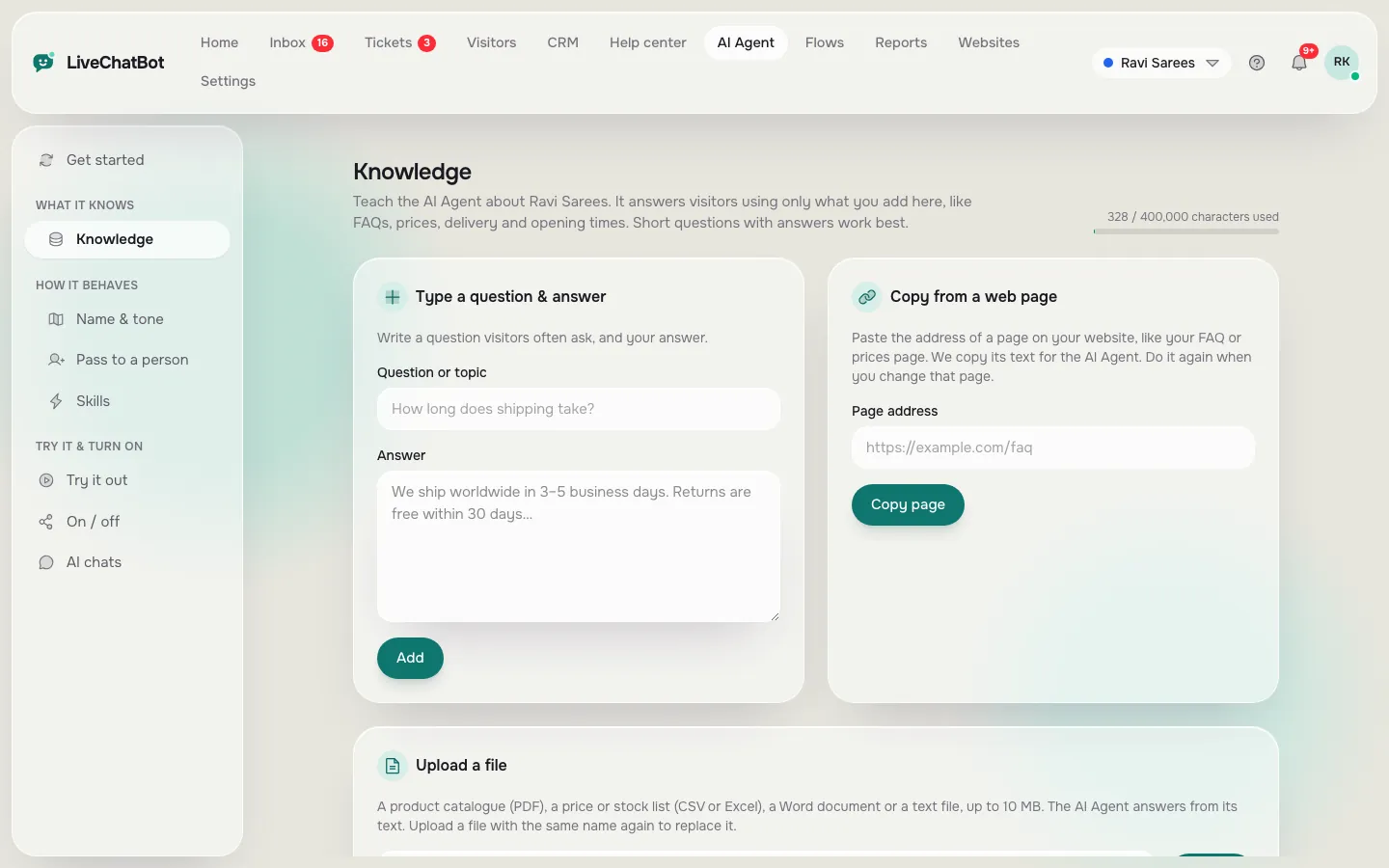
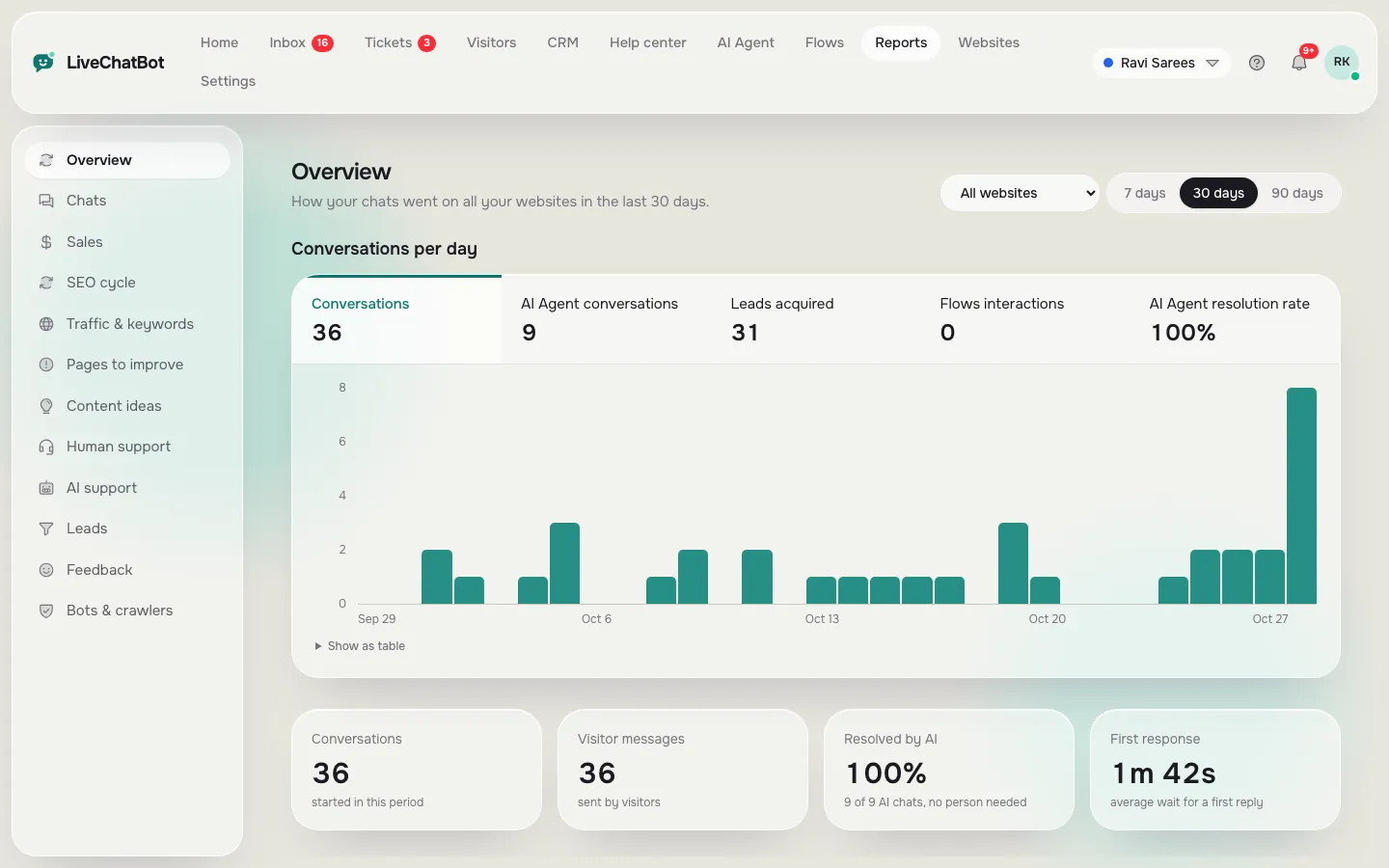
The three screens you will use most in these 30 days
Real screens from the LiveChatBot panel, shown with sample data. Click any picture to see it full size.
The plan
Four weeks at a glance
Write the 20 questions customers ask most. Add each answer to Knowledge. Set the name, tone and Rules.
Read every bot chat daily. Fix wrong or vague answers. Add missing facts the same day.
Set opening hours, the away form and the chat rescuer. Route what the bot cannot answer to tickets or a person.
Open Reports, check what the AI Agent solved, then teach the next batch of questions.
Week 1
Week 1: give your AI customer service chatbot facts and rules
Write answers, not essays
List the 20 questions you answer most often: delivery time, returns, prices, timings, location, payment methods, how to book. Write each answer in two or three plain sentences. In the AI Agent’s Knowledge area you can type answers, copy a web page, or upload a file such as a PDF, Word, Excel, CSV or text file.
Separate facts from behaviour
Facts (prices, hours, policies) go in Knowledge. Behaviour goes in the Rules box on the Name and tone page. A good rule is short: “Never promise a delivery date. If you are not sure, offer to pass the chat to the team.” Rules need AI replies switched on for the website; the free keyword bot cannot follow written rules.
Give it a name and a tone
Pick a friendly name and a tone that matches your shop. Then ask it your own twenty questions in the playground before any visitor sees it.
Week 2
Week 2: read every chat your AI customer service chatbot has
For one week, treat the inbox like a classroom. Each morning, open the chats from yesterday and read what the bot said. Mark each as good, vague or wrong.
- Wrong answers: find the missing or outdated fact and fix Knowledge the same day.
- Vague answers: add a sentence with the exact number, time or link.
- Good answers: leave them alone.
Note the questions you did not expect, such as “do you deliver on Sundays?” or “can I change the address after ordering?”. Each one becomes a new Knowledge entry. After about five days the corrections slow down, and that is your signal the bot is ready for more freedom.
Keep saved replies with {name} ready, so the human side stays fast when a person steps in.
Week 3
Week 3: make sure no customer falls through
By week three the bot handles the routine. Now plan for the rest.
Opening hours and the away form
Set opening hours so visitors know when a person is online. Outside those hours the away form collects an email or phone number, so a 10 pm question becomes a morning call.
Rescue and tickets
The chat rescuer asks for email and phone if nobody replies within seconds. Chats that need follow-up can become tickets with an owner and a status, and the customer gets a ticket page without a login. Our ticketing system page shows how, and the guide on turning a chat into a support ticket walks through it.
Your phone
Install the Android app on the phone of whoever answers escalations, so a handover reaches a person in seconds. There is no iOS team app, so iPhone users reply from a browser.
Week 4
Week 4: read the numbers and decide what to extend
Open Reports and set the date range to the last 30 days. Four numbers tell you most of the story:
- Resolved by AI: chats the AI Agent answered with no human needed.
- First response time: how fast anyone replied.
- Ratings: the thumbs up and thumbs down visitors leave, with comments.
- Leads acquired: contact details collected.
Read the thumbs-down comments first; they are free quality notes, and our customer service AI chatbot report card explains which numbers to trust. If Resolved by AI is low, your Knowledge has gaps. If ratings are low but resolution is high, the tone or the Rules need work.
Then choose the next 20 questions from what visitors actually asked, and repeat weeks one and two for that batch. Busy launch days need extra care, so keep our AI chatbot for customer service surge playbook nearby, and see live chat reports for what to measure over time.
Pitfalls
Five mistakes that wreck the first month
Honest limits
What this plan will not give you
You cannot choose the AI model or bring your own API key; the provider is set on the server. The “Powered by LiveChatBot” badge stays on all plans. There is no iOS team app, single sign-on or voice. Slack, Teams and CRM apps are not native, although Zapier, webhooks and the REST API can bridge many of them.
What you do get is a working, honest start: answers from your own facts, a handover path, reports, and no per-seat charges. If you want to compare other options first, our best AI chatbot for a small business guide helps you choose by business type.
Frequently asked questions
How long does it take to set up an AI customer service chatbot?
A basic version takes an afternoon: write about 20 answers, set a name and tone, and test in the playground. The next 30 days are for watching and improving it.
Do I need a developer to launch one?
No. Knowledge, Rules, opening hours and Flows are all set from the dashboard. A developer only helps with custom integrations through the REST API or webhooks.
What should I teach the bot first?
The questions you answer most: prices, delivery, returns, timings and how to book. Start with answers you are certain are correct.
What happens when the bot does not know?
With a Rules line such as “offer to pass the chat to the team”, it hands over. After hours the away form collects an email or phone number instead.
How do I know it is working?
Open Reports and check Resolved by AI, first response time, ratings and leads. Thumbs-down comments show exactly where to improve.
Start your 30 days today
Free plan for two websites, no per-seat charges. Build your AI customer service plan on livechatbot.in and have the first 20 answers live this afternoon.