AI Chatbot for Online Store: Write the Product Knowledge Sheet It Answers From, With Copy-Ready Lines for Four Shop Types (Free Copy Lines)
AI chatbot for online store owners are only as good as the facts they are given. A bot with a thin knowledge sheet guesses about sizes, stock and delivery, and guessing loses sales. A bot with a clear, honest sheet answers the same twenty questions all day. This guide shows how to write that sheet, with copy-ready lines for fashion, food, electronics and handmade shops that you can edit and paste into the LiveChatBot AI Agent.
⚡ In short
- The AI answers from the knowledge you write. A short, accurate sheet beats a long, vague one.
- Write facts as plain sentences: what, how much, how long, what if it goes wrong.
- The bot cannot see live stock, prices or orders. Say so in the sheet and hand those questions to a person.
- Review real chats weekly and add the questions it missed.
Why a sheet
Why the knowledge sheet matters more than the bot
Shop owners often ask which AI is best. The better question is what the AI knows about your shop. Two stores can use the same tool and get opposite results, because one wrote down its delivery times and the other did not.
An AI chatbot for online store pages answers from the text you add. If the text says “Delivery takes 3 to 5 working days in India”, the bot repeats it. If the text says nothing, a careless setup may guess, and a guess about delivery becomes a complaint.
The sheet is just a document. It has no special format. It is a list of plain sentences, grouped by topic, written the way you would explain things to a new shop assistant on day one.
Aim for one page to start. You can grow it later. A one-page sheet that is true is more useful than ten pages that are half right.
The structure
Six blocks every online store sheet needs
1. Delivery
Areas, times, cost, courier names and what happens when a parcel is late.
2. Payment
Methods you accept, cash on delivery rules and what to do if a payment fails.
3. Returns and refunds
Time window, condition of items, who pays for return shipping and how long a refund takes.
4. Product basics
Sizes, materials, ingredients, warranty or care instructions, per product type.
5. Order help
How to change an address, cancel an order or find a tracking number. Name the person or inbox that handles it.
6. Contact and hours
When humans reply, which number or email to use and the festival closures you already know about.
Read the ecommerce customer service guide for more on which questions arrive most often. Keep each block short, with one fact per sentence.
Try it
Copy-ready lines for four shop types
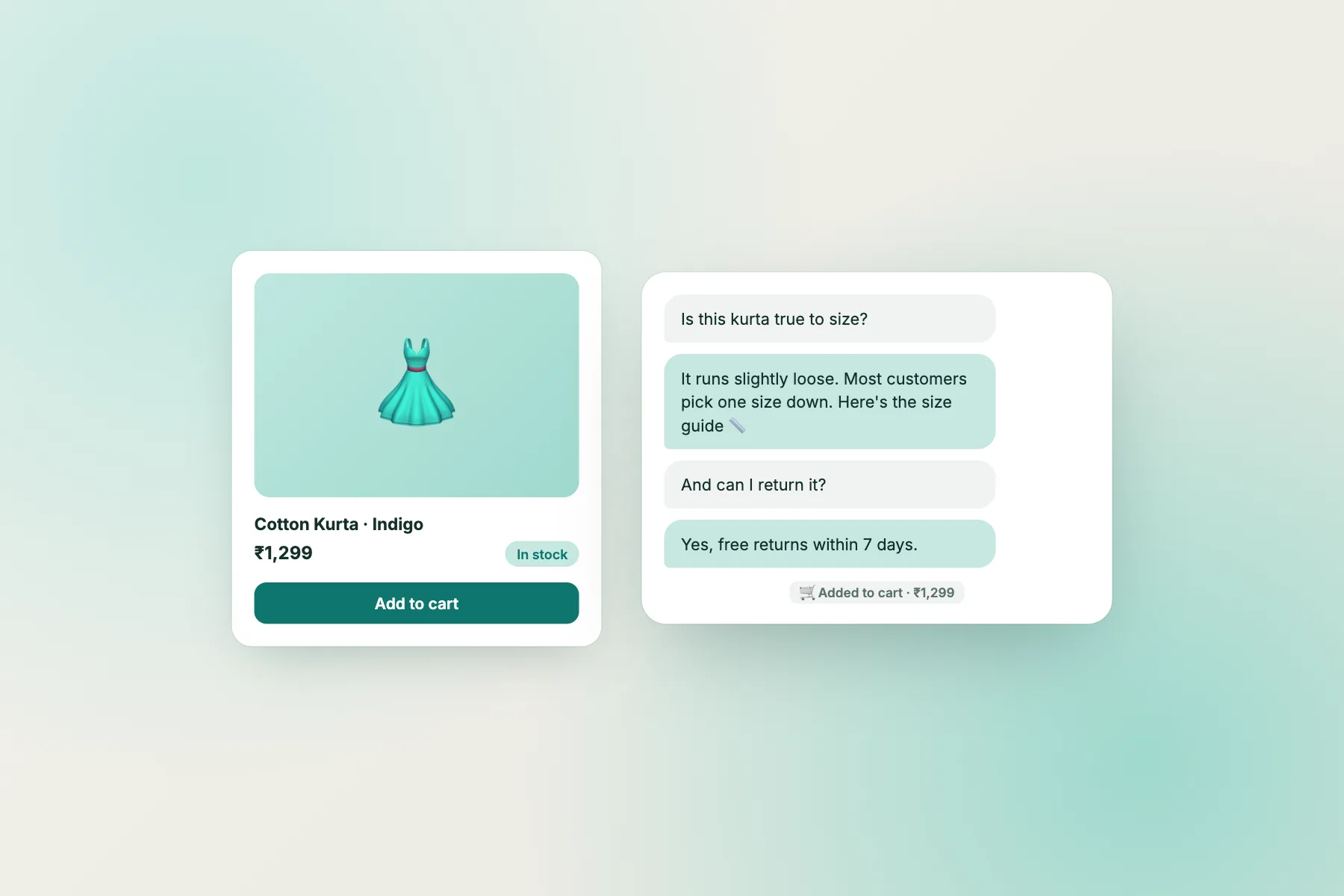
Pick a tab, copy a line and edit the details to match your own shop. These are examples, so replace every number with your real one.
Loading it
Load the sheet into your AI chatbot for online store in four steps
Once the sheet is written, loading it is quick.
- Sign up at livechatbot.in and paste the widget snippet into your store. On Shopify, Wix or Squarespace you paste it into the theme or custom code area. On WordPress there is a plugin that also works with WooCommerce.
- Add each block to the AI Agent as knowledge. Our guide to training your AI chatbot covers the steps.
- Add the same facts as saved replies. When the free AI allowance is used up, the keyword bot answers from them, so the chat never goes silent.
- Test with ten real questions from past customers, and one you never wrote down. The unknown one should get “I am not sure” and a handover.
See the AI Agent page for how answers work and pricing for the limits.
What it cannot see
Be honest about what the bot cannot see
An online store has live facts that change by the hour, and a bot that answers from a written sheet cannot see them.
- Stock levels. It does not read your catalogue. Say “please check the product page for availability”.
- Prices and offers. Prices change. Link to the page rather than repeating a number you may forget to update.
- Orders. There is no order lookup or cart sync. A bot cannot say where a parcel is. It can give your tracking policy and pass the order number to you.
- Payments. It cannot take payments or issue refunds.
Write these limits into the sheet itself, so the bot tells the customer the truth. Then add a line that offers a person: “I cannot see your order, but our team can. May I take your order number?” A clear handover feels better than a wrong answer. The free chatbot for online store guide has more on keeping a shop covered during sales.
Handover
Hand over fast when your AI chatbot for online store needs a human
Some questions always need you: a damaged item, a custom request, an angry message. Set up opening hours and an away form, so a visitor who writes at midnight leaves an email or phone number. The Android app alerts whoever is packing orders, and there are no per-seat charges, so a helper can join for free.
Use a chat flow to greet visitors on the cart page after a short wait. Cart hesitation is often a delivery or returns question, which the sheet already answers. Read about cart abandonment for ideas.
Limits to know: no pre-chat form, no WhatsApp inbox (a WhatsApp button card sends visitors to your number), no iPhone team app, and “Powered by LiveChatBot” stays on every plan.
Upkeep
Keep the sheet alive
Read the week’s chats every Monday. Mark any question the bot missed or got wrong. Add the answer to the sheet, and add a saved reply too. After a month your sheet reflects what your shoppers actually ask.
Update it before sales, price changes and festival closures.
Frequently asked questions
How does an AI chatbot for online store customers know my products?
It answers from the text you add as knowledge. Write delivery, payment, returns and product basics as plain sentences.
Can the chatbot check my stock or orders?
No. It does not read your catalogue or orders. Send those questions to a person, who can see the order in your store.
Does it work with Shopify and WooCommerce?
You paste a snippet on Shopify, Wix and Squarespace. WordPress has a plugin that works with WooCommerce. There is no Shopify app-store app.
What if the AI does not know the answer?
It should say so and offer a person. When the AI allowance is used up, a free keyword bot answers from your saved replies.
What does it cost?
The free plan covers two websites with 100 free visitors per site each month. Extra visitors use one-time packs, and there are no per-seat charges.
Keep reading
Related guides
Chatbot for Law Firm Website: A Careful Setup That Takes Enquiries Without Giving Legal Advice (Free Launch Checklist)
AI Chatbot for SaaS Website: Sort Every Visitor Question Into Pre-Sale, Trial or Customer Support (Free Decision Tree)
Shopify Sales Chatbot: A Pre-Launch Checklist for Answering Buyers Fast, Without Pretending the Bot Can See Your Orders (Free Checklist)
More to read
More guides on this topic
Squarespace Chatbot: Add One With Code Injection and Fill It With Ready-to-Copy Answers for Portfolios, Bookings and Shops (Free Copy Pack)
Teach it your shop
Free plan for two websites, an Android app and no per-seat charges. Start free on livechatbot.in.