Chat With Website Visitors: A Minute-by-Minute Playbook for the First Hour After Someone Lands on Your Page
Chat with website visitors well and a quiet page turns into enquiries. Chat badly and you scare people off. Most guides tell you to install a widget and wait. This one is about timing: what to do in the first ten seconds, the first minute and the first hour, who deserves a message from you and who should be left alone, and what to type so the visitor answers.
⚡ In short
- Do not greet everyone. Greet people who show interest: pricing, contact or a product page for more than half a minute.
- Let a Flow handle the first message so you are never late; step in by hand once the visitor replies.
- Ask one small question, not a form. Answer in under a minute and the chat usually carries on.
- If nobody is free, ask for email and phone so the chance isn’t lost.
Short answer: To talk to people on your site, install a live chat widget, watch the live visitors list, and message only those showing interest, such as readers of your pricing or contact page, after about 30 seconds. Keep the first line short, end with one easy question, and reply within a minute.
The problem
Most visitors never speak, so timing is everything
Timing matters because most visitors leave without ever typing a word. On almost every small site, most people read one page and leave. A few look at pricing. Hardly anyone types a message on their own.
That is why you chat with website visitors on purpose, not by accident. A widget that only waits is a closed shop with a bell. A short, well-timed message from a real person is the shop assistant who says “Looking for anything in particular?” at the right moment.
The skill is knowing the right moment. Too early and it feels like being followed round a shop. Too late and the visitor has gone. The rest of this guide sets a clock you can follow. If you have not installed anything yet, start with our live chat overview and come back.
The clock
What happens in the first hour
Use these stages as a default rhythm. Adjust the seconds to your own traffic.
The visitor is reading. A pop-up now is noise. Let the page do its job.
A calm bubble with a short label is enough. No sound, no bounce.
On pricing, contact and product pages only, send one friendly line with one easy question.
Once they answer, a person should take over. Aim for under a minute.
No reply? Leave a note they can answer later, or ask for email and phone.
Message the contact you collected before they have compared three other shops.
Who to talk to
Pick which visitors to chat with first
Start with visitors whose page shows they are close to a decision.
Talk to these first
- Pricing page readers. They are comparing. One question can decide it.
- Contact page visitors. They are close to calling or leaving.
- Return visitors. Someone back for a third visit is nearly ready.
- Cart or product page visitors who stall. A short pause usually means a doubt you can clear.
Leave these alone
- Visitors on the page for under ten seconds.
- Anyone who closed your last message.
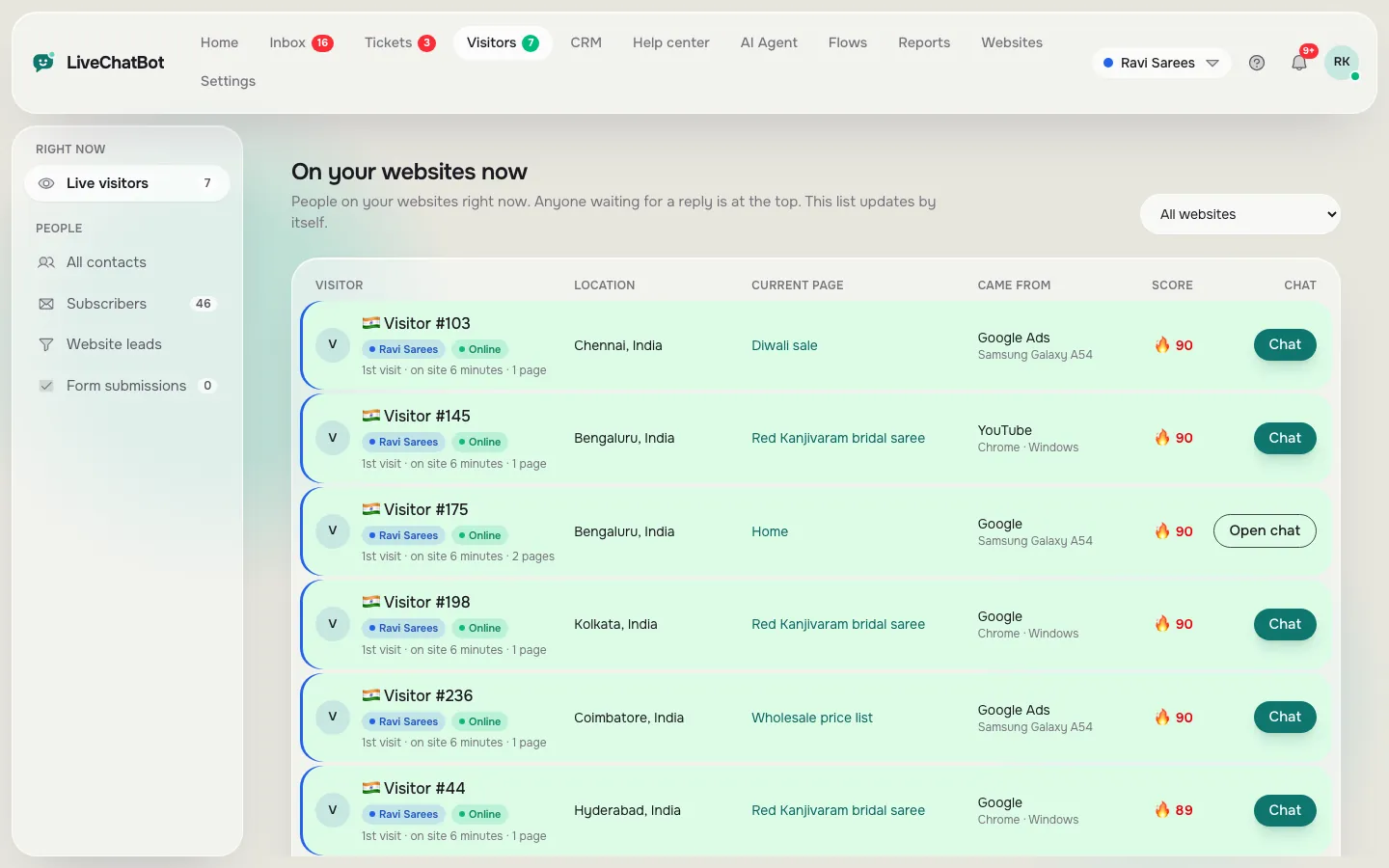
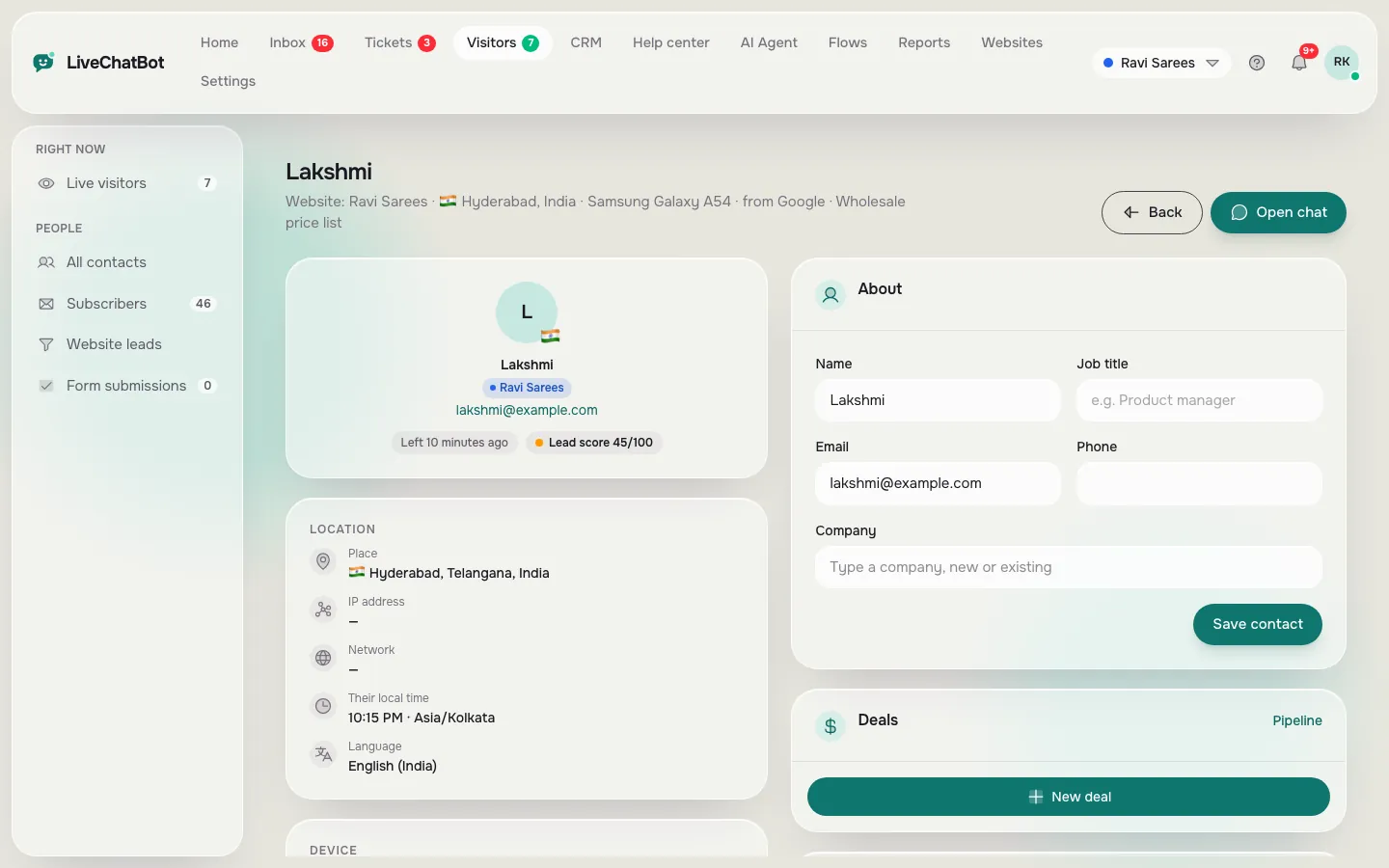
With LiveChatBot you can see who is on your site right now in the live visitors list, with the page they are reading, and open their visitor profile before you type a word. That one habit, glancing at the page before greeting, stops most clumsy openers. Our guide on visitor tracking shows what the list contains.
Real screens
What you will see in LiveChatBot
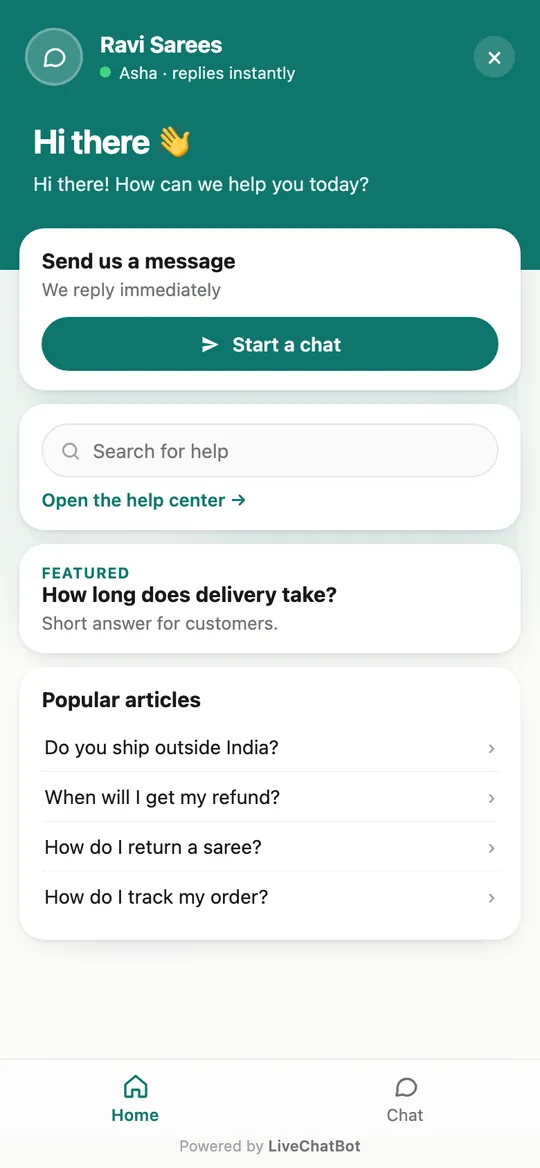
Real screens from the LiveChatBot panel, shown with sample data. Click any picture to see it full size.
What to type
Opening lines that get a reply
A good opener is short, tied to the page and easy to answer. The best opener is short, specific to the page and ends with a question that takes five seconds to answer.
On a pricing page: “Hi, I’m Anita. Want help choosing a plan? Tell me roughly how many visitors you get a month and I’ll point you to the right one.”
On a product page: “Hi, any question on sizes or delivery? I can check stock for you now.”
On the contact page: “Hi, I’m here if you’d rather type than call. What can I help with?”
For a return visitor: “Welcome back. Still thinking it over? Happy to answer anything that is holding you up.”
No “Dear valued customer” and no three questions at once. If you want more wording, our guide to the live chat welcome message has ready lines, and saved replies let you store the ones that work so you can send them in two clicks.
Automation
Let a Flow send the first message, then take over
You cannot watch the live list all day. A chat flow can send the opening line on the pages you choose, after the delay you set, with conditions such as page, returning visitor or time of day. The visitor sees a friendly message at second thirty. You see an alert on your phone only when they answer.
That split works well. You only spend time on people who have already shown interest.
Two settings are worth getting right:
- Frequency. One message per visit is plenty. If they dismiss it, stay quiet.
- Hours. Outside your opening hours, change the line to “We’re away, leave your number and we’ll call in the morning”, so nobody waits for an answer that is not coming.
If you want to build one step by step, read how to create a chat flow.
When you cannot answer
Plan for the minute nobody is free
Set up a fallback, because a visitor who gets no answer will not wait. Every small team has moments when the phone is in a pocket and the shop is full. The visitor does not know that. They only know nobody answered.
LiveChatBot’s chat rescuer handles that gap. If nobody replies within a few seconds, the chat asks for email and phone, so the enquiry becomes a lead instead of a lost visitor. The AI Agent can also answer common questions from your own saved facts, and a free keyword bot covers the basics when the AI allowance is used up. Hand-over to a person is always there for anything it does not know.
Test it yourself: send a message from your phone and stay silent for a minute. Our AI Agent page explains what it can and cannot answer.
Original data
The numbers: what LiveChatBot gives you and a worked example
These are LiveChatBot’s own product facts, read from the dashboard, plus a worked example. They are not survey results.
- Free plan: 2 websites, 100 visitors per website a month, ₹0.
- Starter ₹299 a month: 750 visitors a month shared across 2 websites.
- Growth ₹699 a month: 2,500 visitors a month shared across 5 websites.
- Chat rescuer: asks for email and phone after 6 seconds of silence.
- Per-seat charges: 0.
Worked example: how many people you should message
Say a site gets 100 visitors a month on the free plan. Suppose 30 of them open the pricing or contact page. If a Flow messages only those 30, once each, that is 30 openers a month, about 1 a day. Answering each in about 2 minutes costs 30 x 2 = 60 minutes a month. Messaging all 100 would take 200 minutes and interrupt 70 people who were only browsing. The 30 and the 2 minutes are illustrative; swap in your own counts.
What most guides miss
Our rule: write the follow-up before the opener
Decide what you will say after the visitor answers, then write the opening line to lead into it. Most guides polish the first message and leave the second to chance, which is why chats stall after one reply.
Try this five-minute test for each page you target:
- Write the goal in one line, for example “get their monthly visitor number”.
- Write the second message that would move toward that goal.
- Write the first message as the question that makes that reply natural.
- Save both as saved replies so the second takes two clicks.
If you cannot write the second message, you are not ready to send the first. This is our own rule of thumb from how the tools work, not a measured result.
Mistakes
Five ways to get chat with website visitors wrong
Most failures come from five habits, all easy to fix.
1. Greeting everyone at once
A pop-up on every page in the first second feels like a banner ad. Target pages and delay.
2. Asking for details too early
“What is your email?” as the first line ends most chats. Help first, ask later, and use the chat rescuer if no one can reply.
3. Long messages
Three sentences at most.
4. Ignoring the page
Mention what they are looking at, not a generic “How can I help?”.
5. Never closing the loop
When the chat ends, say what happens next. “I’ll email the quote by 5 pm” is better than “Thanks, bye.”
For more on why people drift away without writing, our guide on live chat lead generation covers the full path from visit to lead.
Getting started
A simple setup you can finish today
You can finish the whole setup in one sitting using these five steps.
- Sign up free and paste the chat code on your site (the setup guide takes about ten minutes).
- Add your twenty most-asked questions to the AI Agent.
- Create one Flow for your pricing page with a 30-second delay.
- Set opening hours and the after-hours line.
- Install the Android app on the phone of whoever answers.
The free plan covers two websites with 100 visitors each a month, with no per-seat charges. Paid plans are prepaid with no auto-renew, so you never get an automatic charge. When you are ready to chat with website visitors at larger volumes, see pricing. For the full picture, read our live chat guide.
Frequently asked questions
How do I start a chat with a website visitor?
Use a live visitors list to see who is on which page, then send a short, page-specific message. Or let a Flow send the opening line automatically and answer when they reply.
Is it annoying to message visitors first?
Not if you are selective. Message people on pricing, contact or product pages after about 30 seconds, once per visit, and stay quiet if they dismiss it.
What if I’m not online when a visitor writes?
The chat rescuer asks for email and phone after a few seconds of silence, and opening hours switch the widget to an away message with a contact form.
Can I chat with website visitors from my phone?
Yes, with the Android app. There is no iOS team app, but iPhone users can answer from a browser.
Do I pay per person who answers chats?
No. LiveChatBot has no per-seat charges, so adding a team member does not change the price.
Talk to the right visitor at the right time
Free plan for two websites, live visitors list, Flows and an Android app. Start free on livechatbot.in.