Live Chat Online App or Browser Chat? Why Your Customers Shouldn’t Have to Download Anything
Live chat online app is a phrase that means two different things, and mixing them up leads to bad decisions. For your customers, chat should run instantly in the browser with nothing to install. For your team, an app on the phone is often exactly what you need. This guide separates the two sides and shows how to get each one right.
⚡ In short
- Visitors: chat in the browser, no download, no sign-up, no phone number required.
- Team: a phone app makes sense, so you can reply away from a desk and never miss an alert.
- If you have your own mobile app, chat can live inside it too, but that’s a separate project.
- Test both sides from a phone before you call it done.
Two meanings
Who is the app for?
When a business owner searches for a chat app, they might mean one of two things. Sometimes they want something their customers can use to talk to them. Sometimes they want something they and their staff can use to answer customers. These need opposite approaches.
For customers, every extra step loses people. A visitor who has a quick question about delivery will not download an app, create an account and verify an email to ask it. They’ll leave and buy elsewhere, or not buy at all. The chat needs to work immediately, in the browser they’re already using.
For your team, the situation is reversed. The people answering chats are committed; they’ll happily install an app if it means they can reply from the shop floor, the kitchen or the bus. An app with reliable notifications is often the difference between a two-minute reply and a two-hour one.
So, for most small businesses, the right answer to “should I get a live chat online app?” is usually: yes for your team, no for your customers.
Visitor side
Why browser chat beats an app for customers
Zero friction
The chat opens in the page they’re already on. One tap, start typing. No store, no download, no storage space.
No account
Visitors can ask without signing up or sharing personal details. Contact info is only collected when it’s needed.
Context kept
The chat knows which page they’re on, so ‘is this available in blue?’ makes sense without explanation.
Works on any device
Budget Android, iPhone, laptop, tablet. If it has a browser, it has your chat.
Nothing to update
Improvements to the chat reach every visitor instantly; nobody needs to update an app.
Returns smoothly
Returning visitors can pick up where they left off on the same browser.
The download trap
What happens when businesses ask customers to install something
Some businesses try to move customer conversations into a dedicated app: their own, or a messaging app that requires an account. It can work for loyal customers who interact often, such as a food delivery service or a bank. For most small businesses, it backfires.
Most visitors are first-timers
They found you on Google, Instagram or a recommendation. They don’t yet trust you enough to install anything. Asking for a download before answering their question is asking for commitment before you’ve earned it.
Every step loses people
Each extra step, such as going to the app store, downloading, opening, signing up and verifying, is a point where visitors give up. A browser chat has none of those steps.
Phone storage is precious
Many people in India use phones with limited storage and are careful about what they install. An app just to ask one question is a hard sell.
The better pattern
Answer the first question instantly in the browser. If the relationship grows, offer other channels later: WhatsApp for order updates, email for receipts, your own app if you have one with real ongoing value.
Team side
Why your team does want an app
The people replying to chats are rarely sitting at a desk all day.
Alerts that reach you
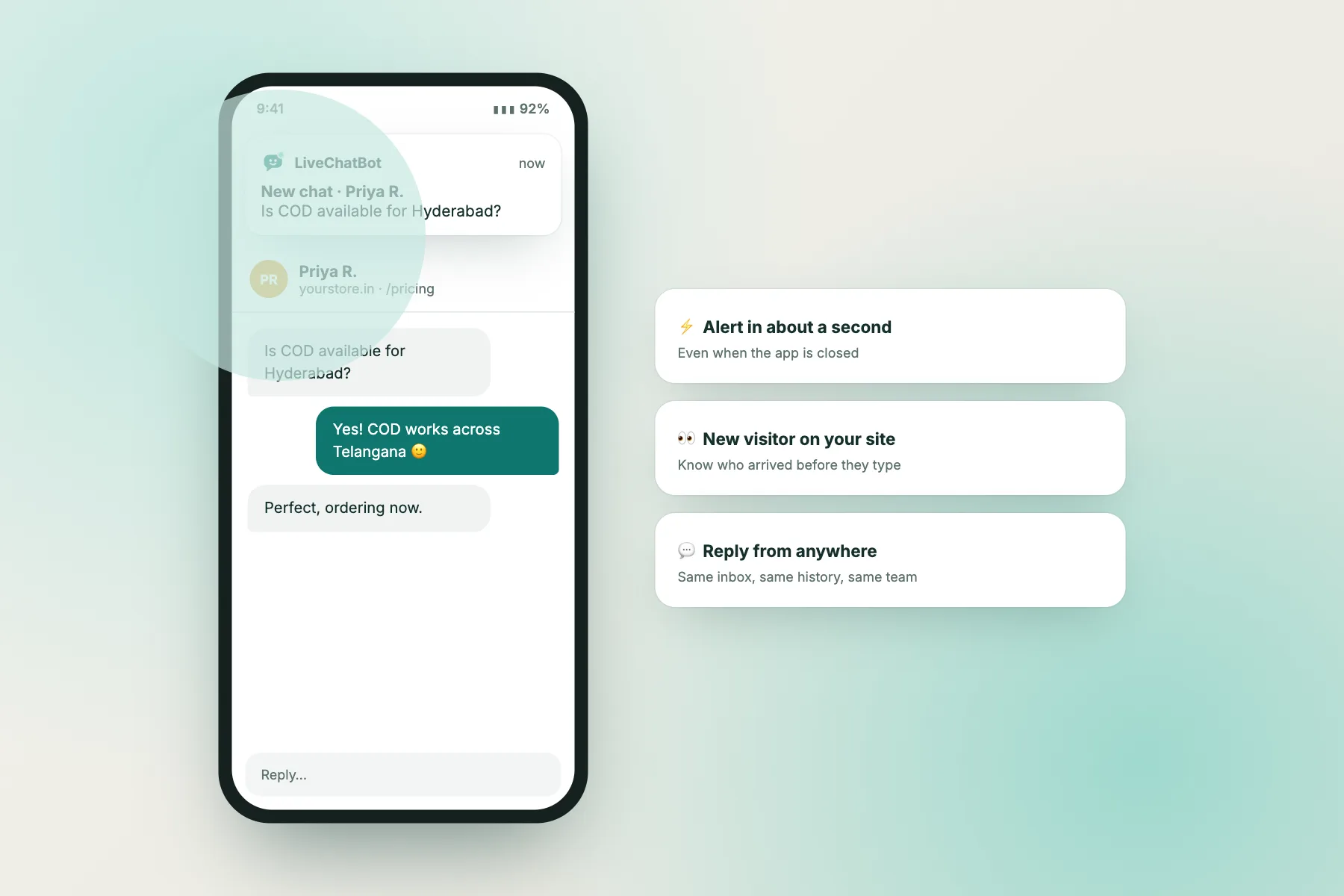
A new chat while you’re at the counter, a handover from the bot while you’re out on a delivery: a phone notification means you know within seconds.
Reply from anywhere
Answer from the shop floor, between appointments or at home in the evening. Saved replies make replying with a thumb quick.
See who you’re talking to
Visitor details, the page they’re on and their history, on the phone screen.
Share the load
Several team members can have the app; whoever is free picks up the chat.
LiveChatBot’s Android app
The Android app gives your team new-chat alerts, the conversation list, visitor details and replies, and works alongside the web dashboard. The Android app guide walks through setup in a few minutes.
Notification tips
– Allow notifications for the app, and check your phone’s battery saver isn’t silencing it. – Use a distinct sound for chat alerts so you notice them. – Decide who gets alerts at which times, so not everyone’s phone buzzes all evening. – Set opening hours so out-of-hours visitors are told when you’ll reply, and you can switch off.
If you have your own app
Putting chat inside your own mobile or web app
Some businesses do have their own app: an online store’s shopping app, a SaaS product, a booking platform. In that case, putting chat inside the app makes sense, because users are already there and logged in.
Web apps
If your product runs in the browser (a dashboard, a booking portal, a customer area), the same chat widget can run inside it. LiveChatBot provides plugins for React and Vue apps, and a JavaScript API so your app can open the chat, pass the logged-in user’s name and email, and track page views. That way your team sees who they’re talking to without asking.
Native mobile apps
For native Android or iOS apps, a common approach is opening a web page with the chat inside the app’s built-in browser view, or linking to a full-page chat. It’s simpler than building a native chat screen, and keeps one inbox for your team.
Keep one inbox
Whatever you do, make sure chats from your website, your web app and any in-app chat arrive in the same team inbox. Splitting conversations across tools is how messages get missed.
The integrations page lists the plugins and APIs, and our team can share developer documentation for the JavaScript API.
Trust
Making browser chat feel safe for visitors
Removing the download removes friction, but visitors still decide in a second or two whether your chat feels trustworthy. A few small details make a big difference, especially for first-time visitors who don’t know your business yet.
Show who’s behind the chat
A real business name and logo in the header, and ideally a team photo, tell visitors they’re talking to your business and not a random pop-up. “Crumb & Co team” feels safer than “Support”.
Don’t ask for details too early
A chat that demands a name, email and phone number before answering looks like a lead trap. Answer the question first. Ask for contact details only when a follow-up genuinely needs them, and say why: “Leave your email so we can send the quote.”
Be clear about the bot
If a bot answers first, say so in the welcome line. Visitors who discover halfway through that “Priya” is a bot feel misled, and trust drops for the whole business.
Never ask for sensitive data
No card numbers, OTPs or passwords in chat, ever. Saying so in your saved replies (“We’ll never ask for card details in chat”) reassures careful visitors.
Link your privacy policy
A short link in your site footer or chat explains what happens to messages. It’s good practice for any live chat online app, and required in many places when you collect personal data.
Setup
Both sides, ready in an hour
Tick each step as you go.
Common questions from owners
What business owners usually ask about this
Costs
What this costs a small business
On LiveChatBot, both sides run on the free plan: the browser chat for visitors, the team inbox on the web and the Android app, plus saved replies, Flows, tickets and the keyword bot. You get two websites and 100 visitors per website each month; visitor packs start at ₹99 for 100 more and never expire. AI-written replies come with a small free monthly allowance per website.
That means you can set up a proper two-sided live chat online app experience, browser chat for customers and a phone app for your team, without spending anything, and only pay if your traffic grows past the free limits. The pricing page has the numbers, and you can start on livechatbot.in in a few minutes.
Frequently asked questions
Do my customers need to download a live chat online app?
No. Visitors chat directly in their browser on your website. There’s nothing to install and no account needed.
Is there an app for my team?
Yes. LiveChatBot’s Android app lets your team receive alerts and reply to chats from their phones. The web dashboard works on any device too.
Is there an iPhone app for the team?
The team app is for Android. On an iPhone, your team can use the web dashboard in the phone’s browser.
Can I put chat inside my own app?
For web apps, yes: there are React and Vue plugins and a JavaScript API. For native mobile apps, a common approach is a full-page chat opened inside the app.
Does browser chat work on slow connections?
Yes. The widget loads after your page content and is light enough for typical mobile data. Keep any images you send in chat compressed so they open quickly.
Will visitors have to give their phone number?
No. They can ask questions anonymously. Contact details are collected only when a follow-up is needed, such as when your team is offline.
Keep reading
Related guides
Free Live Chat Software vs WhatsApp and Phone: A Two-Week Plan to Move Your Enquiries Over
Live Chat Programs by Type: Hosted, Self-Hosted, Help-Desk Add-On or Messaging Tool? How to Choose
Free AI Chatbot on a Zero Budget: 6 Small-Business Profiles and the Setup That Fits Each
No downloads for customers, an app for your team
Set up browser chat and the Android app free on livechatbot.in.