Free Chat Software Visitor Limits for Website Owners: Work Out the Day Your Free Visitors Run Out
Free chat software for website owners is never free in the same way twice. Some tools limit chats, some limit seats, some limit time. LiveChatBot limits one thing you can predict: 100 new visitors per website each month. This guide turns that limit into a calendar date, shows what happens on that day, and gives you a plan so the free month never ends with a surprise.
Free chat software for a website gives you a live chat widget at no cost, within a limit. LiveChatBot is free for 2 websites with 100 new visitors per website each month. Divide 100 by your daily new visitors to find the day the free allowance ends, then plan for that day.
Meaning
Free chat software for a website means a limit you can count
Free chat software is a chat widget plus an inbox that costs nothing up to a stated limit, and the useful question is always what that limit is.
Vendors choose different limits. One caps the number of chats, another caps agents, a third switches features off after a trial. Each limit hurts a different kind of site. A shop with many repeat chats feels a chat cap fast. A team of four feels a seat cap on day one.
LiveChatBot’s free limit is about people arriving, not about what you do with them. You get 2 websites per account, and each website gets 100 new visitors a month. Chats, replies, saved replies, tickets, opening hours and the Android app are all included, and there are no per-seat charges.
That makes the free plan easy to plan. You do not need to guess how many chats you will get. You only need to know roughly how many new people visit. For a wider view of what else the free plan contains, read our free live chat overview.
What counts
Visitors are counted once a month, when the new-visitor alert fires
A visitor counts against your allowance once per month, at the moment they trigger a new-visitor alert.
This is the product fact that most free-plan guides leave vague. It means the number is people, not page views. Someone who reads ten pages in one visit is one visitor, not ten. Chatting does not cost extra either: whether they send one message or fifty, the visitor was already counted on arrival.
Two practical results follow.
- Your own visit is a visitor too. Testing your own site from a new phone or browser can use some of the 100.
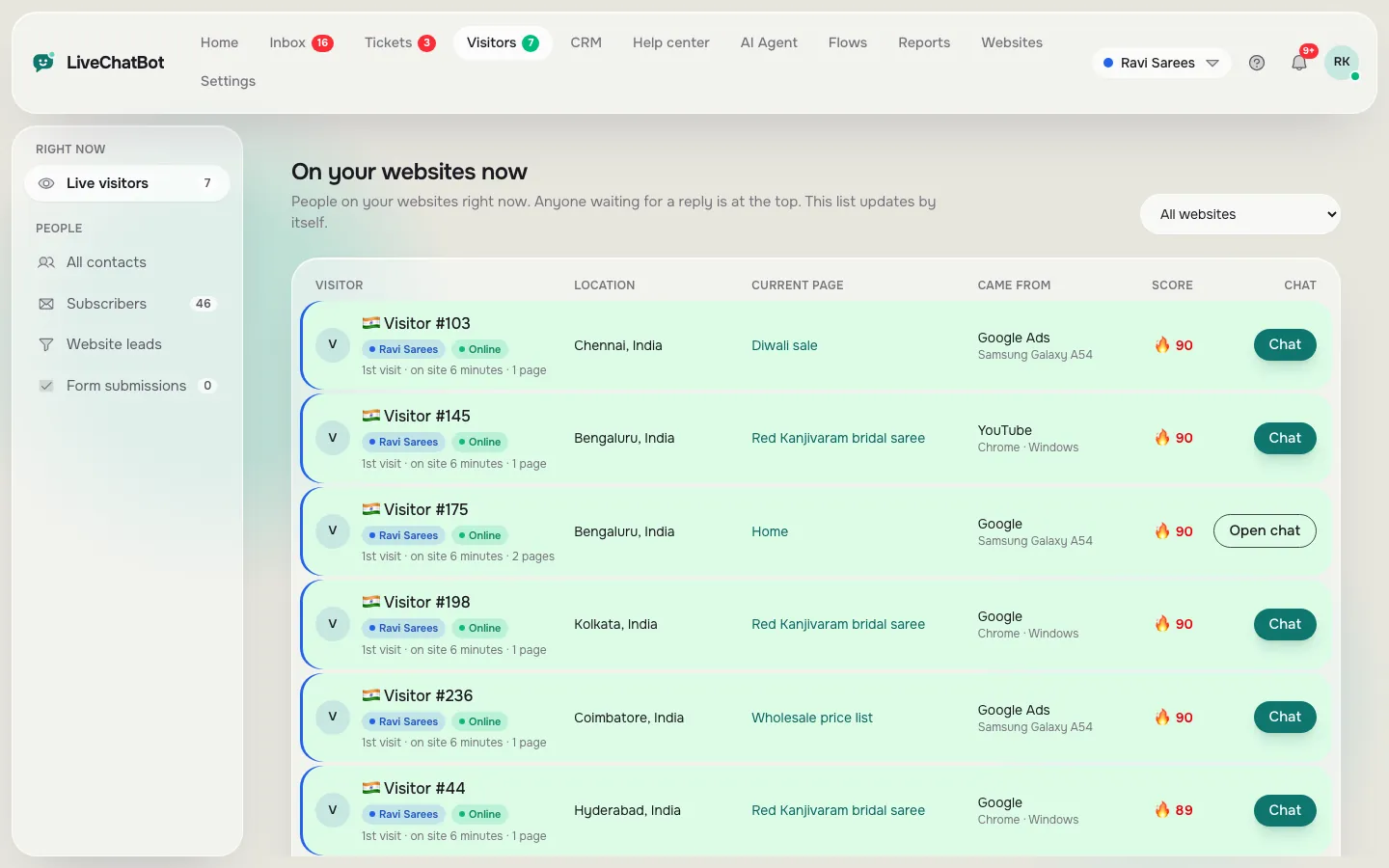
- Your analytics number is not the same number. A tool that counts sessions will show more than a tool that counts new visitors once a month. Use the visitor tracking view in your dashboard for the figure that matters here.
Check this list once before launch, then forget it. The allowance resets each month, so a quiet month never carries a penalty.
The maths
Divide 100 by your daily new visitors to get the run-out day
The run-out day is the day your free allowance is used up, and you can calculate it with one division.
Original worked example (our own maths on the plan limit; the traffic figures are illustrative, not from any customer).
Formula: 100 free visitors ÷ new visitors per day = days until the allowance is gone.
- A new blog with 3 new visitors a day: 100 ÷ 3 = 33 days. The month ends first, so free covers you completely.
- A local clinic site with 5 new visitors a day: 100 ÷ 5 = 20 days. The allowance ends around day 20.
- A small shop with 10 new visitors a day: 100 ÷ 10 = 10 days. Free ends on day 10 and 20 days remain.
- A busy service site with 25 new visitors a day: 100 ÷ 25 = 4 days.
The break-even is simple. If you get about 3 new visitors a day or fewer, 100 lasts the whole month (100 ÷ 30 = 3.3). Above that, the allowance ends before the month does, and you want a plan for the gap.
Remember that the free plan covers two websites, each with its own 100. If you run a shop and a blog, work out the day for each separately. They do not share one pot.
Try it
Free-plan readiness checklist
Tick each item as you do it. Ten small steps take most people about an hour, and each one removes a surprise from the month.
Real screens
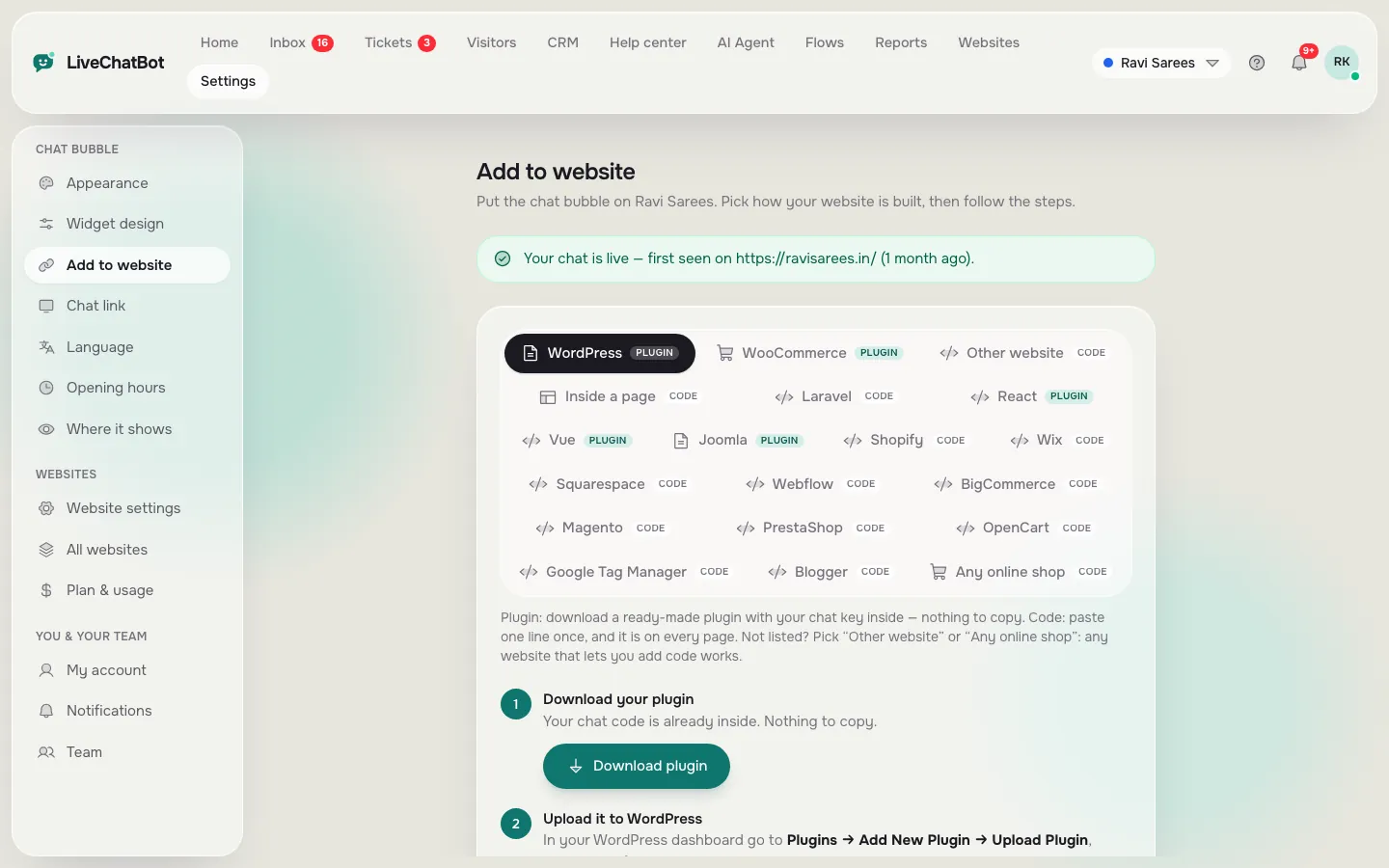
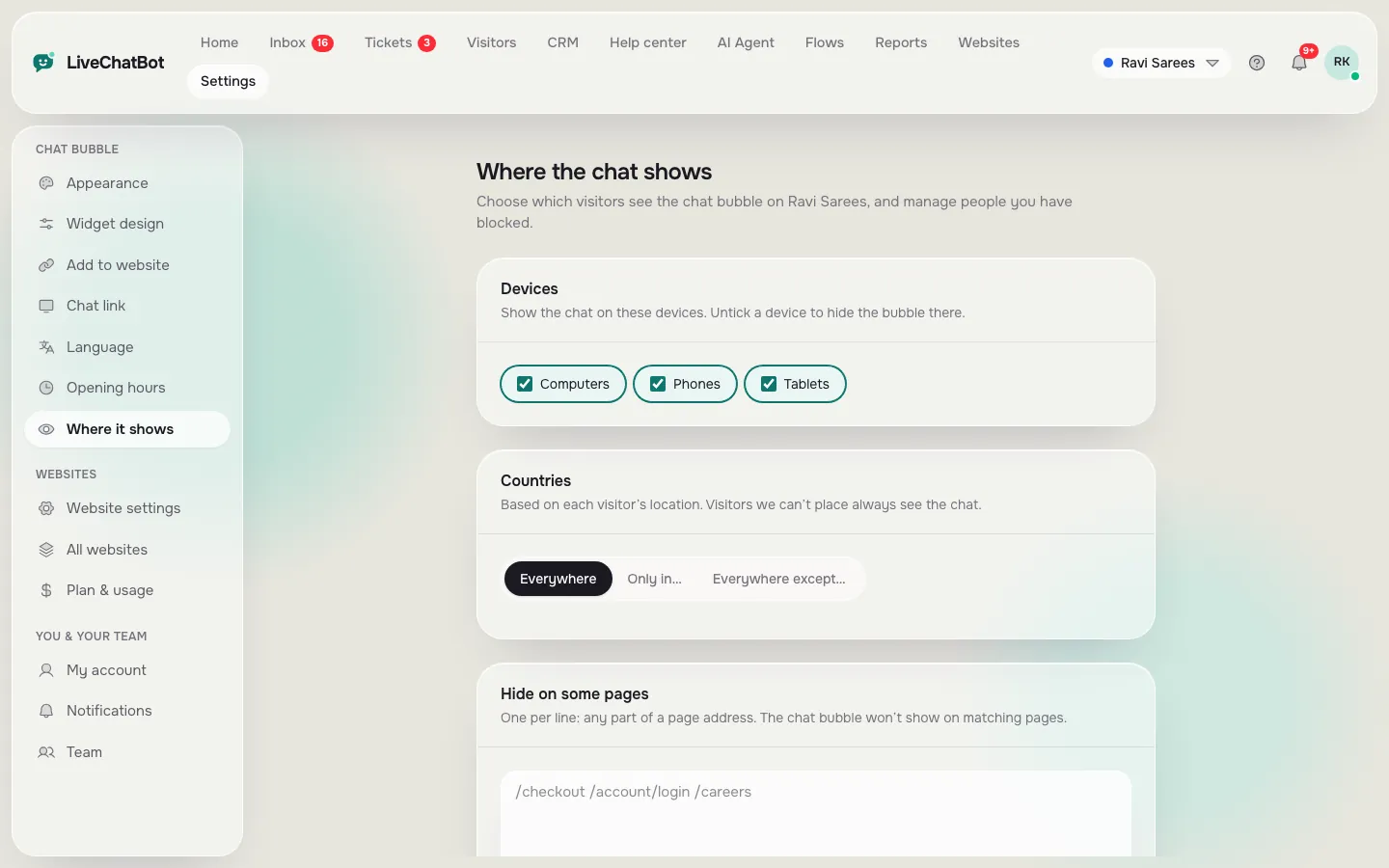
Real screens: the code, where chat shows and your visitors
Real screens from the LiveChatBot panel, shown with sample data. Click any picture to see it full size.
The day it ends
Here is what happens on your run-out day
On the run-out day, nothing is charged and nothing is deleted.
LiveChatBot’s behaviour once you pass 100 new visitors on a website is fixed and easy to state.
- Tracking and alerts continue. You still see who is on the site.
- Chat pauses for new over-limit visitors. People already counted this month can still chat. People arriving after the limit cannot start a chat until you add visitors or the month resets.
- No automatic charges. Plans are prepaid, so a card is never billed behind your back.
This is the difference between a limit and a trap. A limit stops a feature at a known point. A trap bills you for passing it. Here the worst outcome is a quiet widget for new arrivals, not a bill.
You can still decide ahead of time what to do. Plans are Starter at ₹299 a month with 750 visitors shared across 2 websites, and Growth at ₹699 a month with 2,500 shared across 5 websites. The sign-up code WELCOME100 adds 100 visitors once. See pricing for the detail.
Our rule
What most guides miss: date your free plan like an expiry date
Most advice on free chat software for website owners says to watch your usage. Our rule is stronger: write the run-out date on the calendar on day one, as if the free plan were food with a use-by date.
Why it works. A usage meter only tells you the plan has run out after it has. A date tells you two weeks early, when you still have choices. For example, a shop at 10 new visitors a day knows on day one that day 10 is the date. It can spend days 1 to 9 on something useful.
Here is a five-minute method you can run today.
- Take last month’s new visitors and divide by 30.
- Compute 100 ÷ that number. That is the run-out day.
- Put a reminder two days before it.
- When the reminder fires, ask one question: did chat bring in enough enquiries this month to justify more visitors?
- If yes, add visitors. If no, leave it, and fix the pages instead.
The fifth step matters most. A run-out day with zero real chats is a sign the widget is in the wrong place, not a reason to pay.
Stretching it
Free chat software for website traffic stretches further when chat shows where it counts
You cannot add visitors to the free plan, but you can aim the chat where it earns its keep.
The dashboard lets you choose where chat shows: which devices, which countries and which pages. Our guide to showing live chat on specific pages covers the steps. A pricing page and a contact page usually produce more real questions than a blog archive.
Two habits help.
- Block obvious abusers. The block visitor and block IP options stop a repeat nuisance from taking chats.
- Read the first 20 chats. They show which page, which question and which hour matter, and that tells you where to point chat next.
Neither raises the 100. Both make sure it is spent on people who might buy, book or ask.
Honest gaps
What the free plan will not do
Every free chat software for website use comes with edges, and it is kinder to list them here than to let you find them in week three.
- “Powered by LiveChatBot” stays on every plan. You cannot remove it, even on a paid plan.
- Visitors are limited, not unlimited. Never plan on unlimited traffic.
- No iOS team app. Your team answers from the Android app or a browser. Customers on iPhones can use the widget normally.
- No pre-chat form. The widget does not force a name and email before a visitor can type.
- No single sign-on, audit logs or role builder. If your IT policy needs them, free software is not the right fit.
- AI answers have a monthly allowance. When it runs out, the free keyword bot answers from your saved replies.
If none of these is a deal-breaker, you are exactly who the free plan is for. If one is, better to know on day one.
Setup
Add free chat software for website visitors in four steps
The whole job takes four steps and about 15 minutes.
- Sign up at livechatbot.in and add your website.
- Copy the install code and paste it before the closing body tag, or use the WordPress plugin. Our set-up guide shows each platform.
- Style the widget. Pick a colour, a team name and a welcome line.
- Install the Android app so you hear every message.
On Shopify, Wix and Squarespace you paste the code. On WordPress you can use the plugin. After that, open your site and send yourself a message to be sure the whole path works.
If you are weighing this against other options, our guide to free live chat software sets out what a free plan should include. For this guide the point is narrower: know your number and know your date.
Next step
When to stay free and when to add visitors
Stay on the free plan when it ends after your month, and add visitors when the chat is paying for itself.
A simple test is the one-enquiry check. If a single chat that turns into a sale or a booking is worth more than the visitors you would add, adding them is sensible. If chats are mostly quick questions with no value attached, stay free and improve your answers first.
Using the worked numbers above, the 10-visitors-a-day shop hits its limit on day 10. If three of its first 100 visitors chatted and one bought, the plan is already working, and the rest of the month is worth paying for. If none chatted, more visitors would only repeat the result.
Either way, you decide with a number in your hand. For the wider picture, read our overview of free live chat.
Frequently asked questions
Is there free chat software for website owners with no time limit?
Yes. LiveChatBot’s free plan has no trial clock. It covers 2 websites with 100 new visitors per website each month, and the allowance resets monthly.
What counts as a visitor on the free plan?
A person is counted once a month, when they trigger a new-visitor alert. Page views and the number of messages they send do not add to the count.
What happens when I pass 100 visitors?
Tracking and alerts continue, and chat pauses for new over-limit visitors until you add visitors or the month resets. Nothing is charged automatically.
Can I add a teammate for free?
Yes. There are no per-seat charges, so adding someone does not change the cost. They can answer from the Android app or a browser.
Can I remove the Powered by badge?
No. Powered by LiveChatBot stays on every plan, free or paid.
Know your run-out day
Add free chat to your site, count your visitors and plan the month. Start free on livechatbot.in, no card needed.