Click to Chat Software: Count the Taps From Your Page to the First Message, and Cut Every Tap You Can
Click to chat software lets a visitor start a conversation with one tap instead of filling in a form or dialling a number. The tool matters less than the path it creates, so this guide counts the taps from your page to the first message and shows which route needs the fewest.
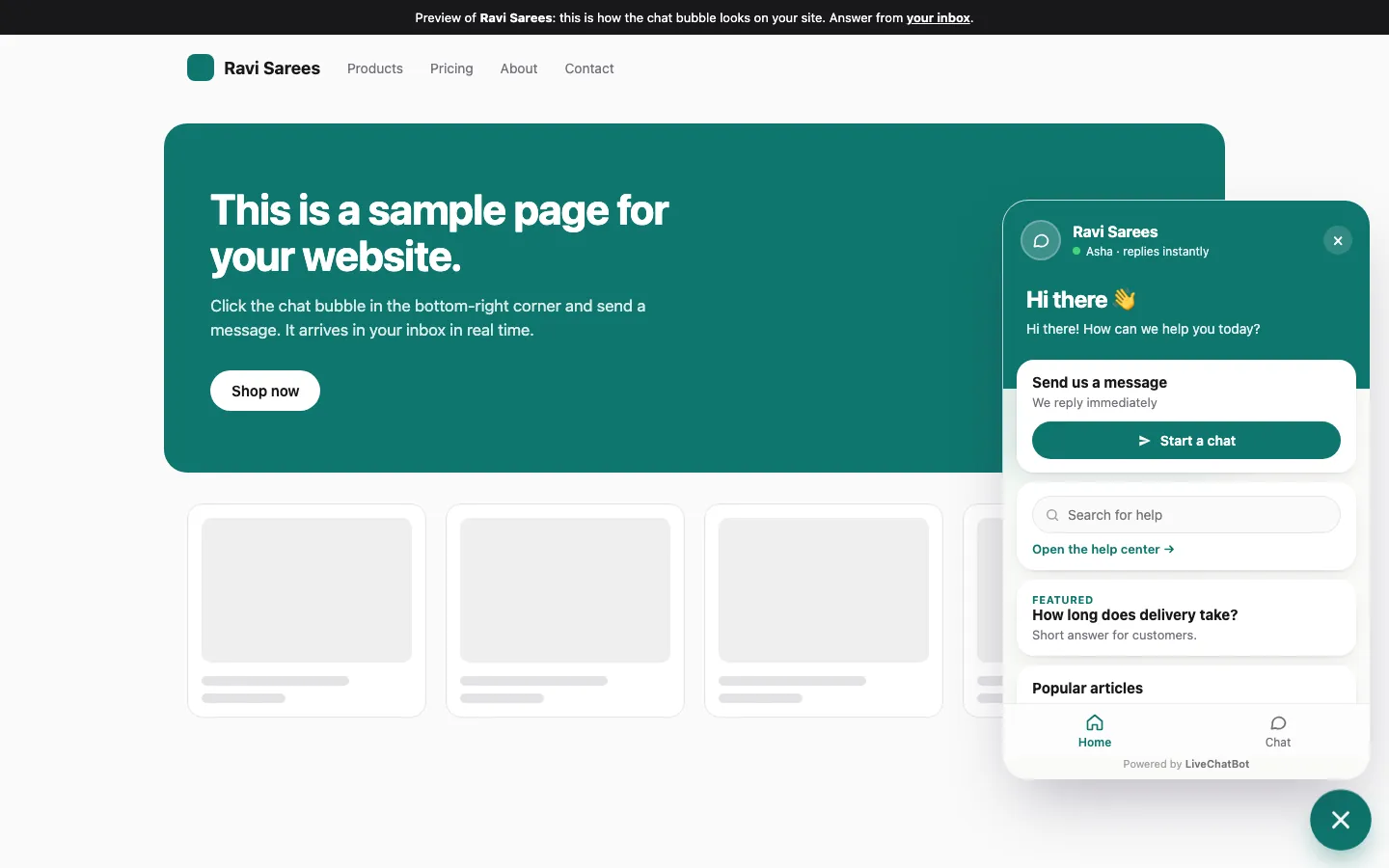
Click to chat software puts a button on your page that opens a conversation in one tap. The shortest route is an on-page chat widget: tap the bubble, type, send. A WhatsApp link adds an app switch, and a contact form adds fields. Pick the route with the fewest steps your customers will accept.
⚡ In short
- Click-to-chat means one tap starts a real conversation: no form, no phone call, no waiting for an email.
- Three routes exist: an on-page widget, a WhatsApp link, and a button that opens a form. They differ in taps and in what you can see afterwards.
- LiveChatBot has no pre-chat form, so the widget route is bubble, message, send.
- Free for two websites, with 100 visitors a month on each.
Definition
What click to chat software actually means
Click to chat software is any tool that turns a single click or tap on your website into an open conversation with your business. The word “click” is the promise: the visitor does not register, fill in a long form or look for a phone number first.
In practice the phrase covers three different things, and shoppers often mix them up.
- An on-page chat widget. A bubble or button sits in the corner. One tap opens a chat window on the same page, and the visitor types. This is what live chat software does.
- A WhatsApp click-to-chat link. A button sends the visitor out of your page into WhatsApp, with your number already filled in. The conversation then lives in WhatsApp.
- A button that opens a form. Often called a callback or contact button. It looks like click to chat, but the visitor still has to fill fields before anything happens.
Only the first two earn the name. The third is a form wearing a chat costume, and you will see later why that matters when you count taps. If you have already decided you want a WhatsApp number on your site, our WhatsApp chat button guide goes deep on that route. This page compares the routes side by side so you can choose between them.
The tap count
How many taps does each route need? A worked count
A route is only as good as its number of required steps, so count them. Below is a worked count from the buyer’s side, using LiveChatBot’s real widget and the standard way each alternative works. It is our own count of required actions, not a survey.
Route A: on-page widget (LiveChatBot)
- Tap the chat bubble. The chat opens on the same page.
- Type a message (typing is not a tap, but it is effort).
- Tap send.
Taps: 2. App switches: 0. Fields before chatting: 0. LiveChatBot has no pre-chat form, so nothing stands between the bubble and the keyboard.
Route B: WhatsApp click-to-chat link
- Tap the WhatsApp button on your page.
- The phone leaves your site and opens WhatsApp (or asks which app to use).
- Tap the pre-filled message’s send button.
Taps: 2 to 3. App switches: 1. Fields: 0. On a phone this is fast. On a laptop without WhatsApp Web signed in, it becomes a QR-code detour.
Route C: button that opens a form
- Tap the button.
- Fill in name, email, phone and message: four fields.
- Tap submit.
Taps: 2 plus four fields. Every field is a chance to give up.
The point of the count is simple: the gap between routes is not features, it is the steps a hesitant visitor has to survive. Our rule of thumb is to keep the first message at two taps and zero fields, and to ask for contact details after the visitor has started talking.
Real screens
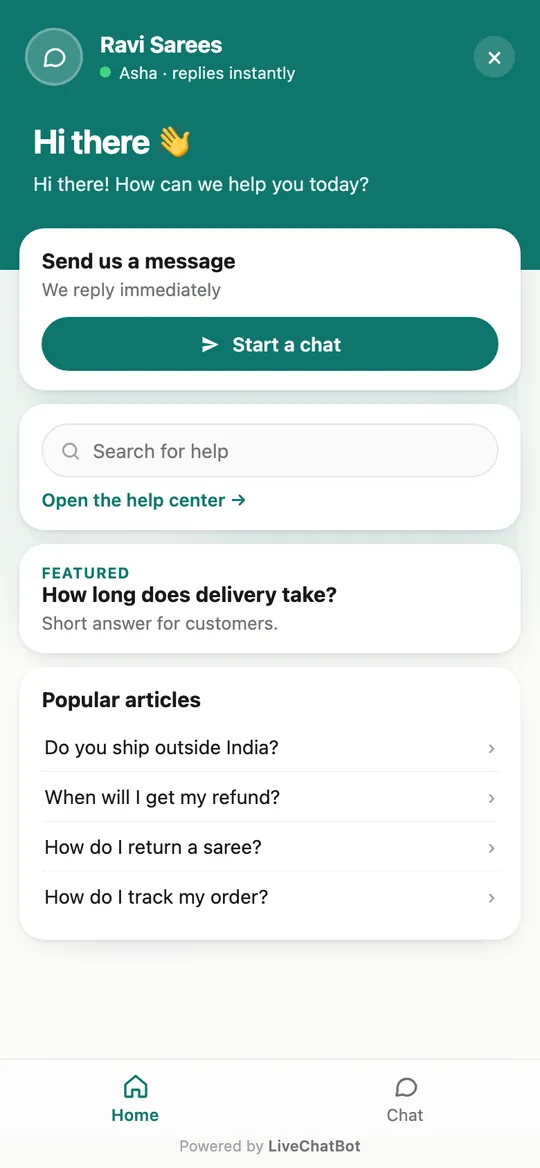
One tap on the page, the same chat on a phone, and the page rules
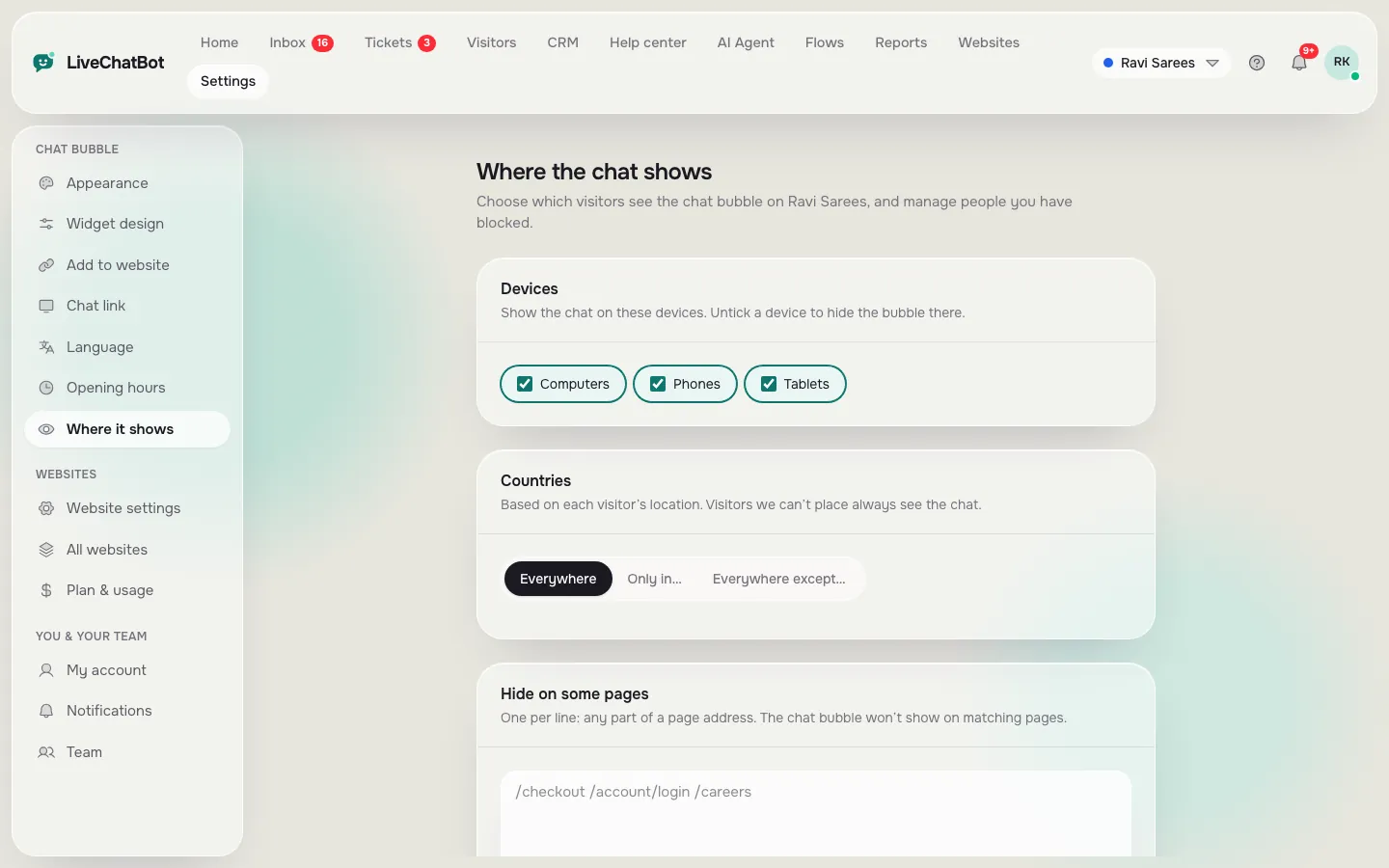
Real screens from the LiveChatBot panel, shown with sample data. Click any picture to see it full size.
What most guides miss
Our rule: a click to chat is only as good as the first 60 seconds after it
Most guides about click to chat stop at the button, yet the button is the cheap part. What the visitor feels is the silence or the reply after the tap.
The ghost test (our method, takes five minutes)
- Open your own site in a private window on your phone.
- Tap the chat button and send “Is this open today?”
- Start a stopwatch.
- Stop it when a human or the bot first answers.
If the stopwatch passes 60 seconds, your click to chat button is a click to nothing. A visitor who taps a chat bubble expects a conversation, not a mailbox. Fix the answer side first, then worry about the button colour.
What LiveChatBot does with silence
Two features exist for this exact moment. The free keyword bot (or the AI Agent, when AI replies are on) answers from the facts you gave it, so a visitor is not left waiting. And the chat rescuer: if nobody replies within a few seconds, the chat asks the visitor for email and phone so the lead is not lost. You can also set opening hours with an away form for the nights.
The insight in one line: measure click-to-reply, not click-to-open. A tool that opens instantly but answers in ten minutes loses to one that opens in two taps and answers in ten seconds.
Choosing
Which route fits which business: a quick decision
Choose the route by where your customers already talk, then by who answers. Neither answer needs a technical background.
- Customers who already live in WhatsApp (local shops, clinics, services): add a WhatsApp card as well. The conversation then continues in a channel they know.
- Visitors who are still browsing and unsure: an on-page widget keeps them on the page where they were about to buy.
- A team of two or more: a shared inbox matters more than the button, because someone must own every chat.
LiveChatBot lets you use both at once. The widget handles on-page chats, and a WhatsApp button card on the same widget sends people to your WhatsApp number when they prefer it. WhatsApp and Facebook Messenger messages also arrive in the same LiveChatBot inbox when you connect them through Meta, so the team does not juggle three apps. Our chat flows feature can also open the chat for you at the right moment, such as when someone has spent time on a pricing page.
Placement
Where to put the button so people notice it without hating it
A click to chat button works best where visitors already feel a question forming. That is usually not the home page. It is pricing, delivery, product and contact pages.
Show it on the right pages
Use the “where it shows” settings to choose devices, countries and pages, and to hide the chat on pages where it would only distract, such as checkout. The guide on showing live chat on specific pages has the steps.
Do not stack three buttons
A chat bubble, a WhatsApp circle and a sticky call bar in one corner make visitors skip all three. Use one primary route and put the WhatsApp card inside the widget.
Reading results
How to see whether the click-to-chat button is working
You can judge a click to chat button with four plain numbers, and LiveChatBot’s reports show most of them without extra tools.
- Chats started per day. The Reports area shows conversations per day for any date range, per website.
- First response time. How long visitors wait after the tap. This is the number that decides whether they stay.
- Pages that bring chats. The traffic reports mark which pages visitors act on (chatted, called, used WhatsApp, sent a form) and which pages they leave without acting. Pages with many visitors and no chats are where the button or the welcome line needs work.
- Leads captured. Flows and the chat rescuer turn chats into leads with email or phone.
To see which page or button sent each WhatsApp chat, read our WhatsApp click tracking guide. It is a different question from this page: there we count how visitors get to WhatsApp, here we count the steps before the first message.
A worked example with the maths shown
Suppose a small shop gets 600 visitors a month and 24 of them start a chat. That is 24 / 600 = 4 chats per 100 visitors. If a welcome line change lifts it to 30 chats, the rate becomes 30 / 600 = 5 per 100, one more per 100. Use your own numbers: the example only shows how to do the sum, not what you should expect.
Honest gaps
What click to chat software on LiveChatBot does not do
Be clear about the limits before you decide.
- No pre-chat form. That is a feature for taps, but if you must collect name and email before the first message, LiveChatBot cannot force it. The chat rescuer and away form collect details later.
- No white label. “Powered by LiveChatBot” stays on every plan.
- No iPhone team app. Android has one; iPhone users answer from a browser.
- No Slack, Teams or Telegram integrations. Zapier, webhooks and the REST API can bridge some tools.
- WhatsApp is connected through Meta, so you need that connection set up for WhatsApp messages to reach the inbox.
What it costs
The Free plan costs ₹0 for 2 websites with 100 visitors per website a month. Starter is ₹299 a month for 2 websites and 750 visitors shared across them; Growth is ₹699 a month for 5 websites and 2,500 shared visitors. Yearly plans pay for 10 months and give 12, and payment is prepaid, with no auto-renew. Starter is about 3 to 4 US dollars, so check today’s exchange rate. See pricing for details.
Setup
Set up one-tap chat in ten minutes
Start with the shortest route and add routes only when you have a reason.
- Sign up at livechatbot.in and add your website.
- Install the chat: use the WordPress plugin, or paste the one code snippet on Shopify, Wix, Squarespace or any other site.
- Open Settings, Widget design, and set colour, position and the one-line welcome text.
- Add 15 to 20 real answers to the AI Agent knowledge, or write saved replies for the free keyword bot.
- Set opening hours and the away form.
- Install the Android app so a tap on your site rings in your pocket.
- Run the ghost test from earlier on your own phone.
A complete walk-through is in our live chat guide. Once the basics work, the rest is tuning the welcome line and the pages where the chat shows.
Try it: which click-to-chat route fits you?
Frequently asked questions
What is click to chat software?
It is a tool that lets a visitor start a conversation with one click or tap, without a form or phone call. It can be an on-page chat widget or a link that opens WhatsApp.
Is click to chat the same as a WhatsApp link?
A WhatsApp link is one kind. It moves the visitor into WhatsApp, while an on-page widget keeps them on your site. LiveChatBot supports both.
Does LiveChatBot ask for name and email before chatting?
No. There is no pre-chat form. The chat rescuer and away form ask for email and phone when no one replies or you are closed.
Is there a free plan?
Yes. Free is ₹0 for 2 websites with 100 visitors per website a month, with no per-seat charges.
How fast should I reply after the click?
Aim for under a minute while you are open. Run the five-minute ghost test on your own phone and time the reply.
Keep reading
Related guides
Cheap Live Chat Software: The 12 Corners Low-Cost Plans Cut, and Which Ones You Can Live Without (Free Corner Checker)
Make the first tap count
Two taps, no form, a bot that answers when you cannot. Start free on livechatbot.in.