Best Live Chat Platforms Are Judged by Where Conversations Land: Website, WhatsApp and Messenger in One Inbox (Free Platform Quiz)
Best live chat platforms are not just chat boxes any more. Your customers write from your website, from WhatsApp and from Facebook Messenger, and a platform earns its price by pulling all of that into one place your team can answer. This guide shows how to tell a true platform from a plain widget, with a quiz to match your business to the right kind.
⚡ In short
- A widget shows a chat box. A platform also collects, sorts and follows up on the conversations.
- Judge a platform by where messages arrive, who owns them, what happens when nobody replies and how you can see results.
- LiveChatBot brings website chat, WhatsApp and Facebook Messenger into one team inbox, with tickets, a CRM and reports.
- Take the quiz to see which kind of platform fits your business.
Widget or platform
What separates the best live chat platforms from a plain widget
A widget is the box in the corner. A platform is everything around it: the inbox your team works in, the rules that decide who answers, the record of every customer and the reports that show whether it works.
Most small businesses start with a widget and outgrow it in a few months. Chats arrive while nobody is looking. A WhatsApp message sits on one person’s phone. A form enquiry goes to email. Nobody can see the whole picture.
A good platform fixes this in four ways:
- One inbox for every message source, so nothing hides on a personal phone.
- Ownership: a chat can be assigned to a person or a team, and you can see what is unassigned.
- Follow-through: unanswered chats can become tickets or leads, not lost visitors.
- Proof: reports show reply times, busy hours and which pages bring enquiries.
Our main live chat guide explains the basics if you are new to this, and the chat widget settings let you shape how the front door looks.
Sources
Where conversations arrive: three doors into one inbox
Your website
The chat widget on your pages is the first door. LiveChatBot’s widget is free for two websites, with your colours, welcome text, opening hours and an away form for after-hours leads.
Many customers, especially in India, prefer WhatsApp. LiveChatBot has a WhatsApp button card on the widget, and WhatsApp messages arrive in the same inbox once you connect through Meta. Meta sets its own business messaging rules and prices, so read them before you promise anything.
Facebook Messenger
Messenger messages also land in the same inbox, connected through Meta. Instagram direct messages and Telegram are not supported, and Slack or Teams are not native integrations either.
Teams can also be set up, so chats from a given source route to the right group, and a My teams folder shows what belongs to you. Nothing here needs a developer.
The value is the same for all three: one place to read, one set of saved replies, and one customer record. Our integrations page lists what connects and how, including Zapier and webhooks for tools without a native link.
Real screens
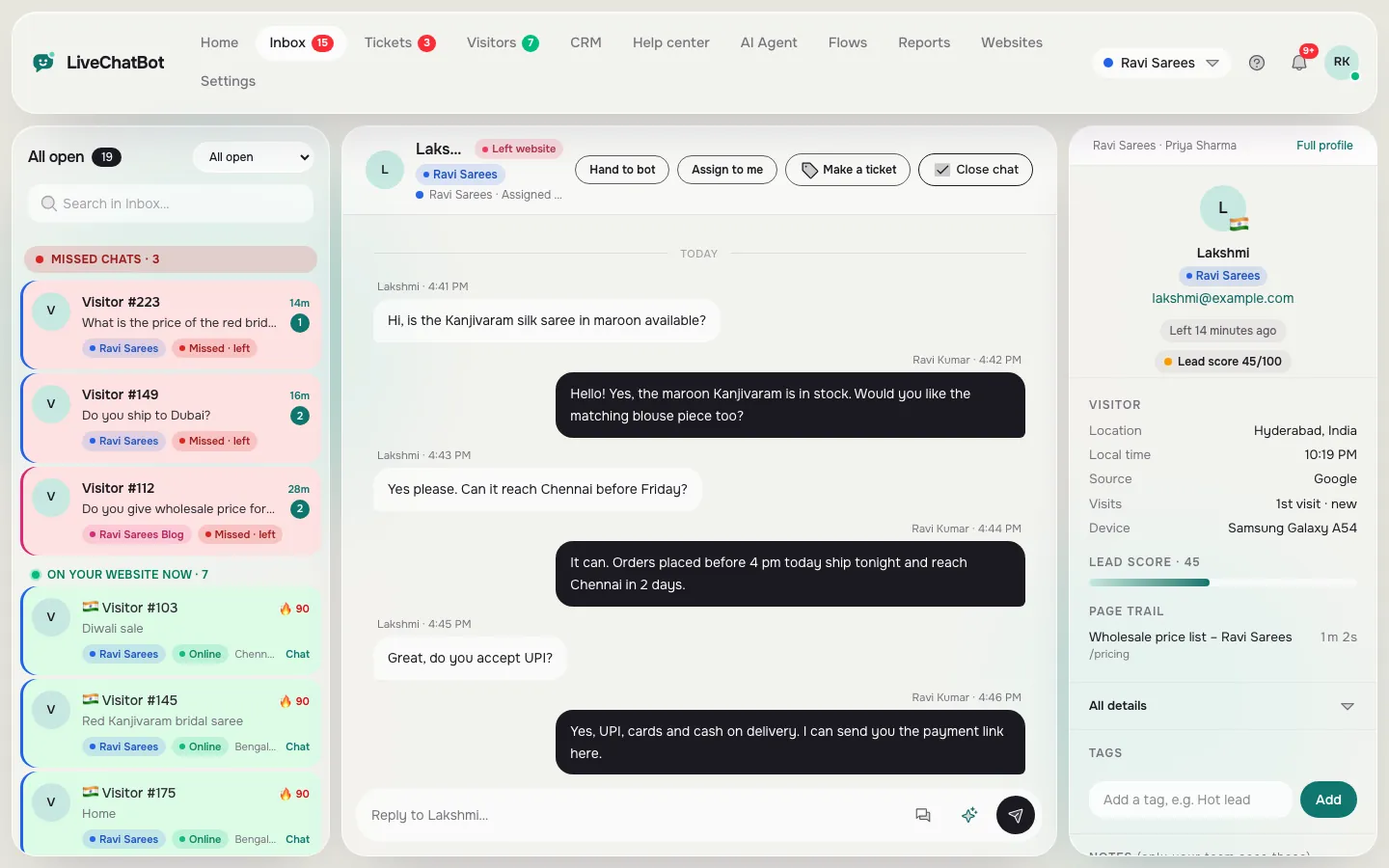
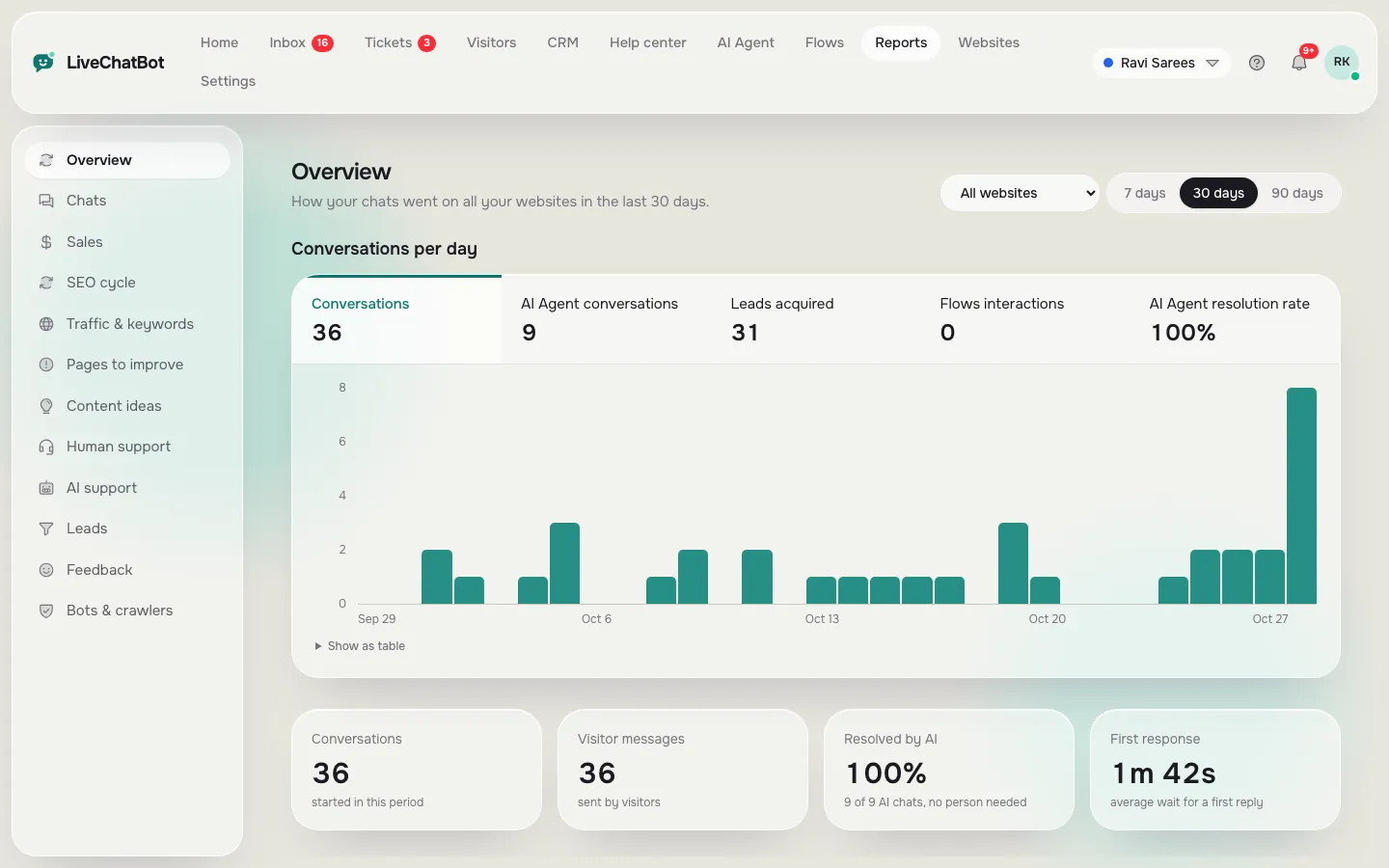
One inbox and the reports behind it
Real screens from the LiveChatBot panel, shown with sample data. Click any picture to see it full size.
Free quiz
Which kind of platform fits you?
Four questions, pick the closest answer each time. The quiz tells you what to look for first.
Checks
Five questions that sort the best live chat platforms from the rest
Ask every vendor these before you pay. They matter more than any ranking of the best live chat platforms you find online.
- Which messages reach the inbox? Ask for the exact list, not “omnichannel”.
- What happens when nobody replies? LiveChatBot’s chat rescuer asks the visitor for email and phone after a few seconds, so the lead is not lost.
- Can I see a visitor’s history? Look for visitor profiles with a lead score and the pages they viewed.
- Can I follow up later? Tickets, saved replies and a pipeline with deals matter more than a pretty widget.
- Do I own my data? Ask how to export contacts and what happens to them if you leave.
If a vendor cannot answer these plainly, treat the platform label as marketing. A short, honest answer such as “we do not support that” is a good sign, because it means you can plan around it instead of finding out after you have paid.
Trial week
A seven-day trial that shows which of the best live chat platforms works for you
Do not judge a platform in one afternoon. Give it a week of real use, with this simple plan.
Days one and two: connect everything
Install the widget, connect WhatsApp or Messenger if you use them, and set opening hours. Write five saved replies for the questions you hear most. The saved replies guide shows how to use {name} so each reply feels personal.
Days three to five: use it like a normal week
Reply only from the platform, not from your personal phone. Install the team app so alerts reach you away from the desk. Note every moment you wished it did something else, and every message you could not find.
Days six and seven: read the evidence
Open the reports. How many chats came in, how fast did you reply, which hours were busiest, and did any leads arrive after hours? Compare with your guess. Platforms that make this easy are worth paying for. Platforms that hide it behind a higher plan are not.
Write down a score out of ten for the inbox, the alerts and the reports. The platform with the best total wins, even if it is not the one with the longest feature list.
Honest gaps
What LiveChatBot does not do as a platform
No platform fits everyone. These are not part of LiveChatBot: single sign-on, audit logs, a role-based permission builder, voice, captcha, sentiment scoring, white label, an iOS team app and native Slack, Teams, HubSpot, Salesforce or Zoho integrations. Zapier and webhooks can bridge some tools. The “Powered by LiveChatBot” badge stays on every plan.
If your company policy requires those, a larger enterprise platform is the better fit. If not, you get a lot for little: Free covers 2 websites with 100 visitors per website each month, Starter is ₹299 a month, and Growth is ₹699 a month for 5 websites. See pricing for the details, and the help desk software page for tickets.
Frequently asked questions
What are the best live chat platforms for a small business?
The ones that bring website chat, WhatsApp and Messenger into one inbox, include tickets and reports, and do not charge per agent.
Is a live chat platform different from a chatbot?
Yes. A chatbot answers questions. A platform also holds the inbox, the contacts, the follow-up and the reports. LiveChatBot includes an AI Agent inside the platform.
Does LiveChatBot support WhatsApp?
Yes. WhatsApp messages arrive in the same inbox, connected through Meta, and the widget has a WhatsApp button card.
Can I connect Instagram DMs?
No. Instagram direct messages, Telegram and native Slack are not supported.
Is there a free live chat platform?
Yes. The free plan covers 2 websites with 100 visitors per website each month, and there are no per-seat charges.
Keep reading
Related guides
Best Live Chat for WordPress Is Proven on a Staging Copy: A Six-Step Test Before It Goes Live
Best Live Chat Plugin for WordPress Depends on Your Site: Match the Plugin Type to Your Hosting, Team and Shop (Free Fit Finder)
Try a platform, not just a widget
Website chat, WhatsApp and Messenger in one team inbox. Start free on livechatbot.in.