Best AI Chatbot Platform Is the One Whose Gaps You Can Live With: Seven Criteria and a Weighted Scorecard (Free Scorer)
Best AI chatbot platform lists all crown a winner, yet every platform has gaps, and the right one is whichever has gaps that do not hurt your business. This guide gives you seven criteria that really separate platforms, shows how LiveChatBot scores honestly on each, and ends with a weighted scorecard so you can compare up to four options on your own priorities.
⚡ In short
- No platform is best for everyone; each has gaps, so weigh the criteria that matter to you.
- Seven criteria: knowledge sources, handover, channels, team workflow, pricing model, reports, languages.
- Score every shortlisted platform on the same trial tasks, not on sales pages.
- Use the weighted scorer below and decide with numbers, not with feelings.
The method
Why a ranked list will not find your best AI chatbot platform
Lists of the top platforms are written for everyone, which means they suit nobody in particular. A solo shop in Pune and a hospital group have very different needs, yet they read the same ranking.
A better method is to decide what matters first, then score. If a platform has one gap that you never use, ignore it. If it has a gap in something you need every day, move on, however famous it is.
This is also why we never claim LiveChatBot is best for all. We say where it is strong, where it is not, and let the numbers decide. For a trial-based approach, our best chatbot platform for business pilot plan gives a 14-day schedule, and the AI Agent page shows the AI side in detail.
Criteria 1 to 3
Criteria 1 to 3: knowledge, handover and channels
1. Knowledge sources
How do you teach the bot? In LiveChatBot you type answers, copy a web page or upload a PDF, Word, Excel, CSV or text file. Ask any platform whether it answers only from your content or from the open internet, and test with a fact you never gave it.
2. Handover
When the bot is stuck, what happens? Look for a clear route to a person, an away form after hours, and a rescue step that asks for email and phone. LiveChatBot has all three, plus tickets.
3. Channels
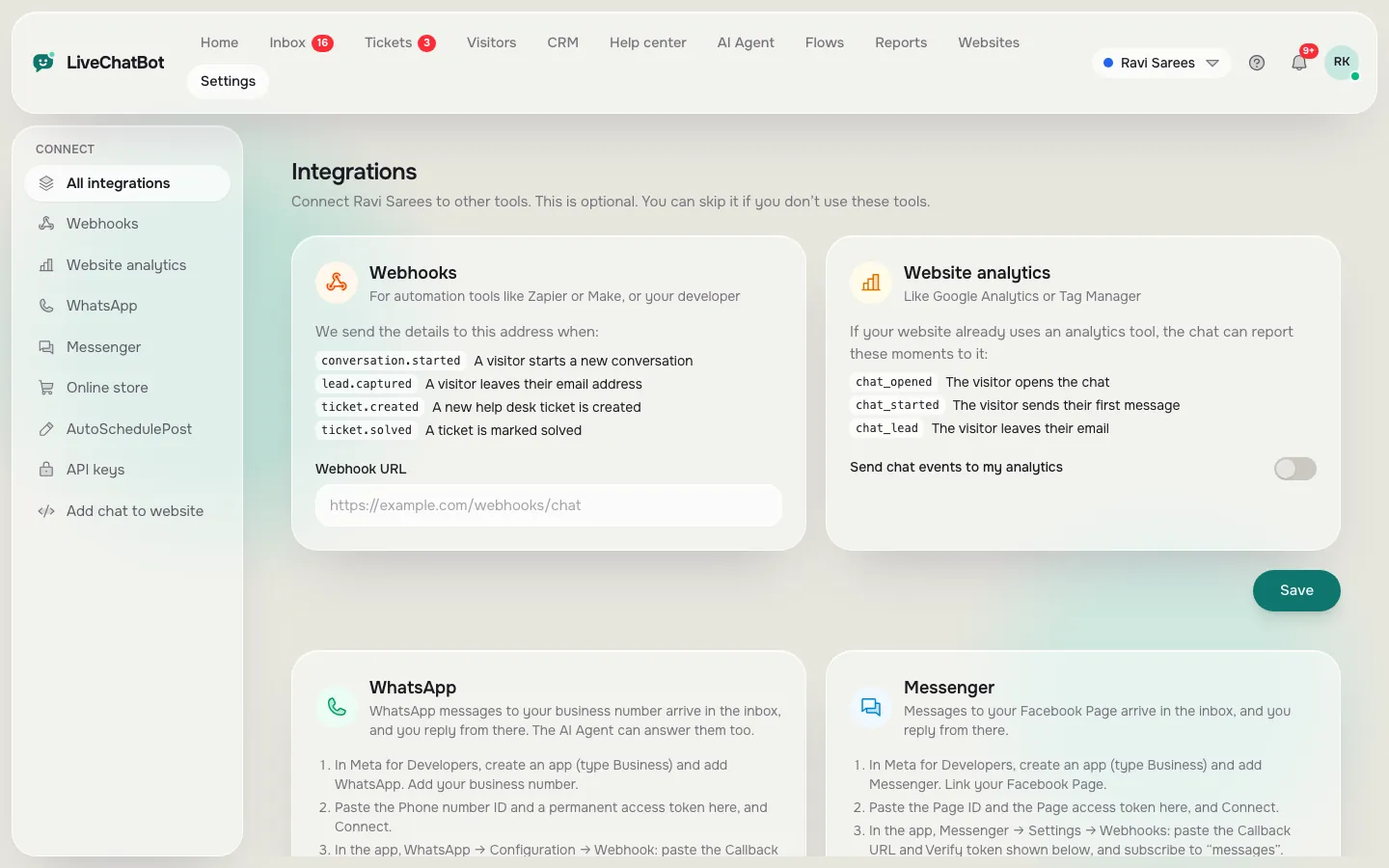
Where do customers write? LiveChatBot brings website chat, WhatsApp and Facebook Messenger into one inbox, plus a WhatsApp button card on the widget. It has no native Instagram DM, Telegram, Slack or Teams. If those are your main channels, weigh this heavily.
Criteria 4 to 7
Criteria 4 to 7: team, price, reports and languages
4. Team workflow
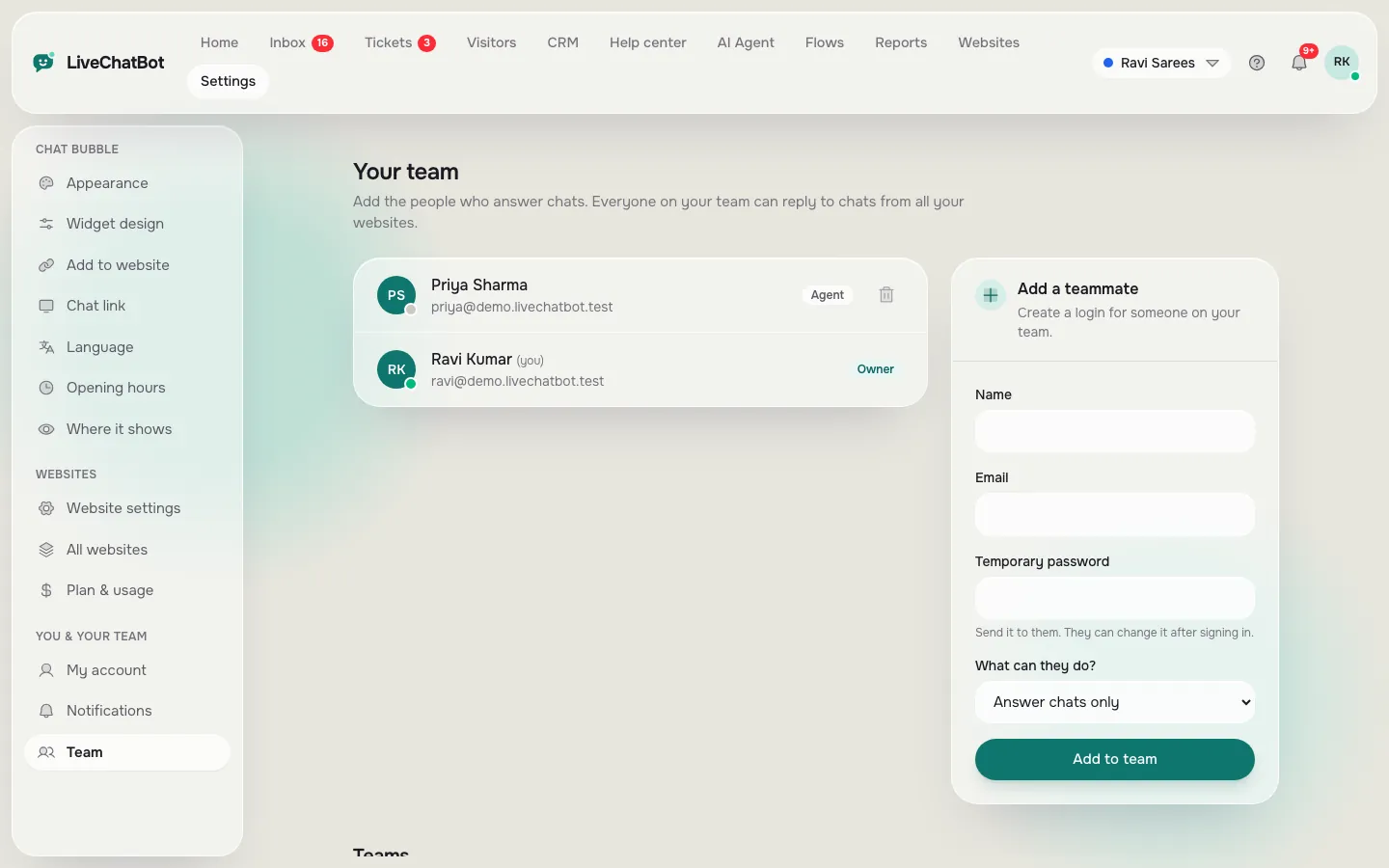
Check shared inbox, assigning, teams and an Android or iOS app. LiveChatBot has Assign to me, Unassigned and Mine folders, teams, and an Android app. There is no iOS team app, no automatic round-robin, and no role builder or single sign-on.
5. Pricing model
Ask what happens at the limit and whether seats cost extra. LiveChatBot is Free at ₹0, Starter ₹299 a month and Growth ₹699 a month, prepaid, with no auto-renew and no per-seat charges. Yearly means pay for 10 months, get 12.
6. Reports
Look for resolution rates, response times and traffic. LiveChatBot has Reports for chats, traffic, pages to improve and a Tomorrow forecast, but no custom builder or emailed schedule.
7. Languages
Check the widget languages and the dashboard languages. LiveChatBot offers auto widget language with welcome translations and several dashboard languages.
Real screens
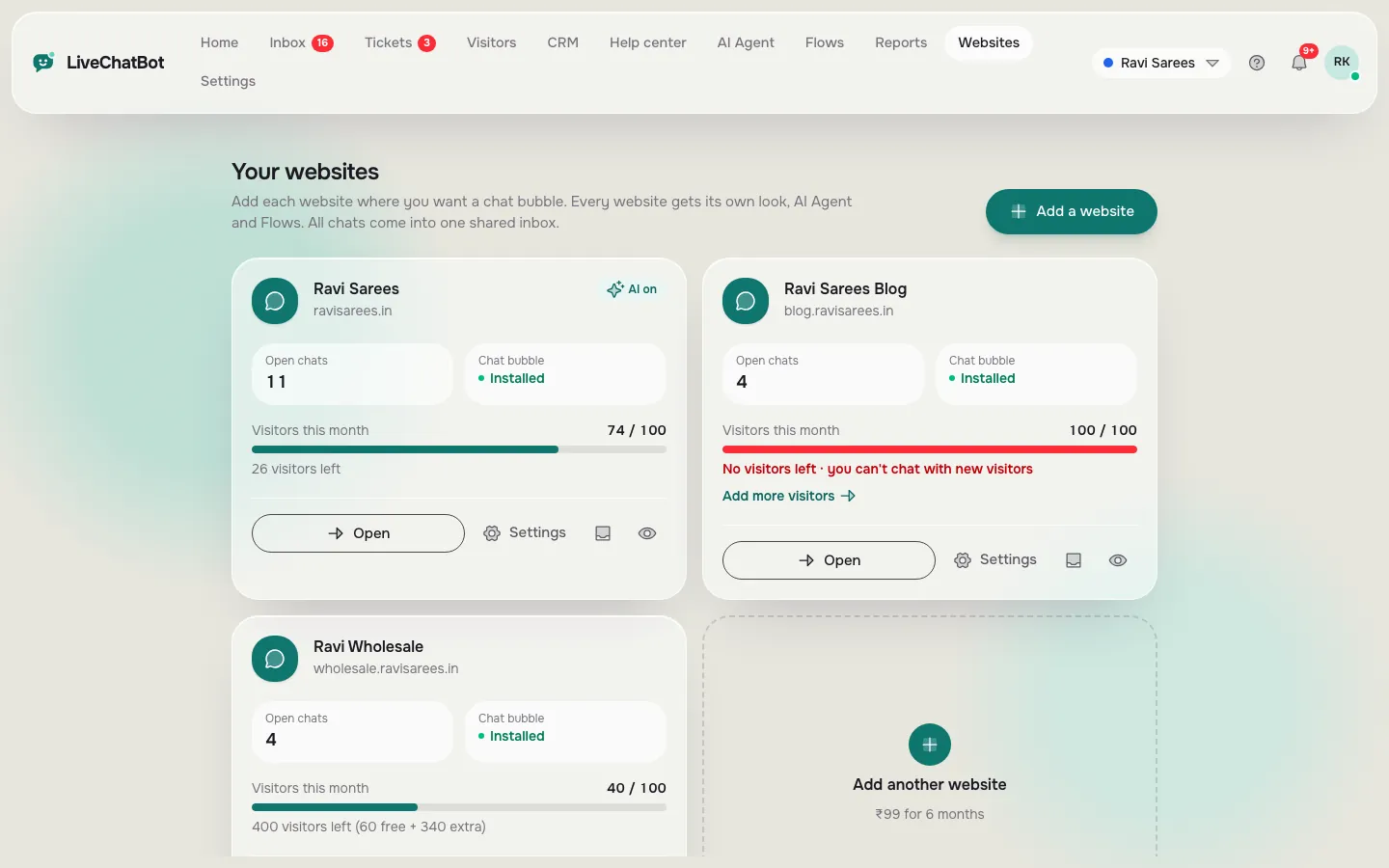
Three criteria in the app: connections, multiple websites and the team
Real screens from the LiveChatBot panel, shown with sample data. Click any picture to see it full size.
Free tool
Score up to four platforms on your own priorities
Set how much each criterion matters to you, then score each platform from 0 to 5 based on your trial, not the sales page. Click a platform name to rename it.
Answers from your own content, files and pages
Importance Score Score Score Score
Route to a person, away form, lead rescue
Importance Score Score Score Score
Website, WhatsApp, Messenger and others you use
Importance Score Score Score Score
Shared inbox, assigning, phone app
Importance Score Score Score Score
Seats, limits and what happens at the limit
Importance Score Score Score Score
Resolution, response time, traffic
Importance Score Score Score Score
Widget and dashboard languages you need
Importance Score Score Score Score
How to score
How to score honestly, so the best AI chatbot platform wins fairly
Run the same five tasks on every platform: teach it ten facts, ask it a question you never taught, ask for a person, leave after hours, and reply from a phone. Score each task straight after you do it, not days later.
Weight before you score
Set the importance sliders first. If you do not use WhatsApp, drop channels to 1. If you have four agents, raise team workflow. Doing weights first stops you from bending them to favour a platform you already like.
Sanity check the winner
Look at the top two. If they are within five points, you have a tie: choose the one with fewer gaps in your top-weighted criteria, or the one with the lower cost at your busiest month. Our AI chatbot platforms post lists what to look for at each price level.
Quick fit
Three buyer profiles and where each should lean
The solo owner
You answer chats yourself, mostly from a phone. Weight handover, team workflow (Android app) and price. A free start and no seat charges matter more than a long feature list.
The small team of three to ten
You need a shared inbox, assigning, saved replies and tickets, so nothing falls between people. Weight team workflow, reports and channels. Check how the platform treats extra seats before you grow.
The growing shop with several sites
You need one inbox for many websites, a design per site and a fair price at your busiest month. Weight pricing model and knowledge sources. Teach the AI Agent once per site, then compare resolution figures in Reports after a month.
Whichever profile fits you, write your weights down before you open any vendor page. It takes five minutes and saves weeks of regret.
Honest gaps
Where LiveChatBot is not the best AI chatbot platform
If any of these is a must-have, score LiveChatBot low and say so:
- Removing the "Powered by LiveChatBot" badge. It stays on all plans.
- An iPhone app for your team. Only Android exists.
- Single sign-on, audit logs or a role-based permission builder.
- Voice calls or speech input and output.
- Native Instagram DM, Telegram, Slack, Teams, HubSpot, Salesforce, Zoho or Zendesk apps.
- Choosing the AI model or bringing your own API key.
Zapier, webhooks (ticket.created and ticket.solved) and the REST API can bridge some of those. Where LiveChatBot shines is simplicity: a free start, no per-seat charges, answers from your own files, a shared inbox with WhatsApp and Messenger, tickets, Flows, and reports a small team can use.
Frequently asked questions
What is the best AI chatbot platform for a small business?
The one whose gaps do not affect you. Weigh knowledge sources, handover, channels, team tools, pricing, reports and languages, then score each shortlisted platform on the same trial tasks.
Is LiveChatBot the best choice for everyone?
No. It suits small teams who want a free start and no per-seat charges. If you need an iOS app, single sign-on or a badge-free widget, look elsewhere.
How many platforms should I compare?
Two to four. More than four turns into a spreadsheet exercise without better decisions.
Should I trust rankings and review sites?
Use them to build a shortlist, then decide with your own trial. Rankings cannot know your channels, team size or busiest month.
Can I try LiveChatBot before paying?
Yes. The Free plan covers two websites with 100 visitors per website a month, and the code WELCOME100 adds 100 visitors once.
Keep reading
Related guides
Best AI Chatbot for Website Visitors Is the One That Admits What It Doesn't Know: 10 Trap Tests to Run on Your Shortlist (Free Trap Test Generator)
More to read
More guides on this topic
Chatbot With Voice Input: Four Ways Visitors Can Speak Instead of Type, Scored for Your Business (Free Weighted Scorecard)
Score it yourself
Start free on livechatbot.in, run the five trial tasks and let the scorecard decide. No per-seat charges and no auto-renew.