Build Your Own AI Chatbot in One Week: A Day-by-Day Plan With No Code and No Model Training
Build your own AI chatbot sounds like a job for a developer, but for a business website it is mostly a writing and testing job. You do not train a model or host a server. You gather facts, set a few rules, decide when a person takes over, and switch it on. This guide gives you one task for each day of the week, so a small team ends up with a working bot instead of a half-finished project.
⚡ In short
- To build your own AI chatbot, you do not build the AI itself. You build the five parts around it: facts, rules, handover, hours and review.
- Spend the first three days on facts and rules. Most weak bots fail there, not in the software.
- Go live to a few pages first, then widen. Read real chats every day in week two.
- LiveChatBot lets you do all of this on the free plan, with no code and no model choice to make.
What you build
What it really means to build your own AI chatbot
When people say they want to build their own AI chatbot, they usually picture training a model on their data. That is research work, and no small business needs it. The language ability already exists. What the bot lacks is your business: your prices, your hours, your return rules, your tone.
So the real build has five parts:
- Facts. The pages, documents and answers the bot may use.
- Rules. How it should behave, such as never promising delivery dates.
- Handover. What happens when it cannot help.
- Hours and capture. What visitors see when nobody is online.
- Review. A habit of reading chats and fixing gaps.
If you would rather weigh coding it against using a ready tool first, read our make-or-buy guide for AI chatbots. Otherwise, the plan below, built around the AI Agent, needs only a browser and a free account on livechatbot.in.
The plan
Seven days, one job each
Roughly an hour a day. Skip nothing in the first four days; the last three can be stretched.
Open your chats, emails and WhatsApp messages. Write the 20 questions people ask most. These are your bot’s whole world for now.
One short, true answer per question, with real prices, times and links. Ask a colleague to check each one.
Type the answers in, copy in your key web pages, or upload a PDF, Word, Excel, CSV or TXT file. Then test with ten questions.
Name the bot, choose a tone and write a few lines of behaviour rules. Decide what it must never say.
Set opening hours, the away form, saved replies and who is alerted. Install the phone app on that person’s phone.
Add the chat code or WordPress plugin. Show the bot on two or three pages only.
Read each conversation. Fix wrong answers, add missing facts, then widen to more pages.
Days one to three
Facts first: why the bot is only as good as what you give it
Collect real questions, not imagined ones
Your own messages beat any template. Copy the last month of enquiries into one document and group similar ones. If a question appears three times, it belongs in the bot. If it appears once, leave it for a person.
Write answers a stranger could follow
Short answers with a number or a next step work best. “Delivery takes 3 to 5 working days in most cities. Enter your pin code at checkout to see yours” beats a paragraph of policy. Keep one fact in one place, because the same price written in three documents will drift apart.
Load, then test
Add the answers to the AI Agent’s knowledge. You can type them, copy a web page, or upload a file. Then ask ten questions in your own words, including two the bot should not know. The unknown ones are the real test: it should say it is not sure and offer a person. Our guide on how to train your AI chatbot walks through the same steps in more detail.
Days four and five
Rules and handover: the part most people skip
Rules shape behaviour
Facts say what is true. Rules say how to act. In LiveChatBot’s AI Agent you set a name, a tone of voice and a Rules box where you write instructions the bot follows in every chat, such as “Never promise a delivery date” or “Always offer to take a phone number if you are unsure.” There is no raw prompt editor, and you cannot pick the AI model, but for a business bot the Rules box covers what matters.
A bot with no exit is a trap
Decide what counts as “too hard”: angry customers, refunds, anything about health or money. Those go to a person. Turn on opening hours and the away form so that late visitors can leave an email or phone number. Add saved replies for your team, and set up a chat flow if you want a proactive message on key pages.
Install the Android app on the phone of whoever answers. A handover alert that nobody sees is no handover at all.
Real screens
Real screens from the build
Real screens from the LiveChatBot panel, shown with sample data. Click any picture to see it full size.
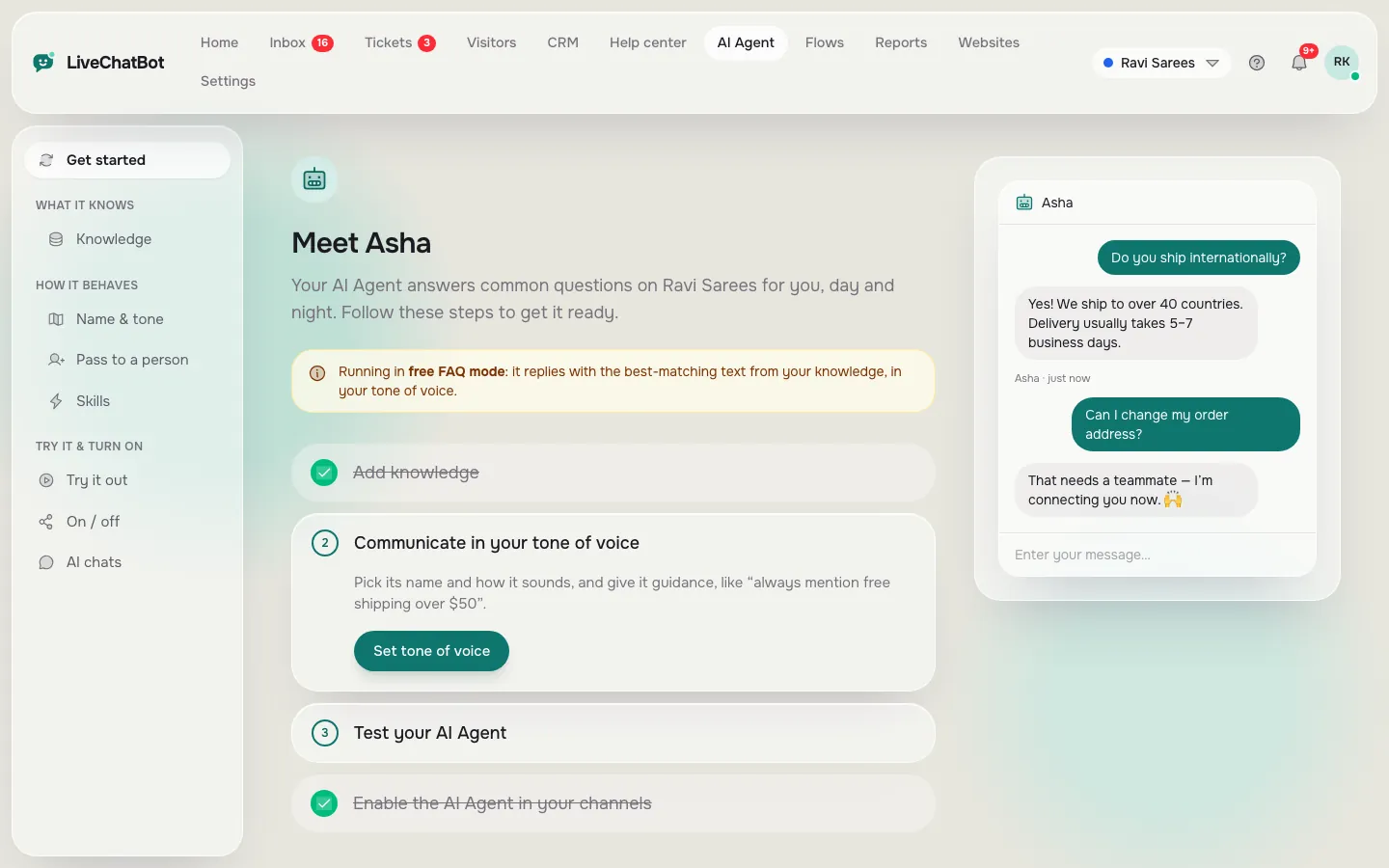
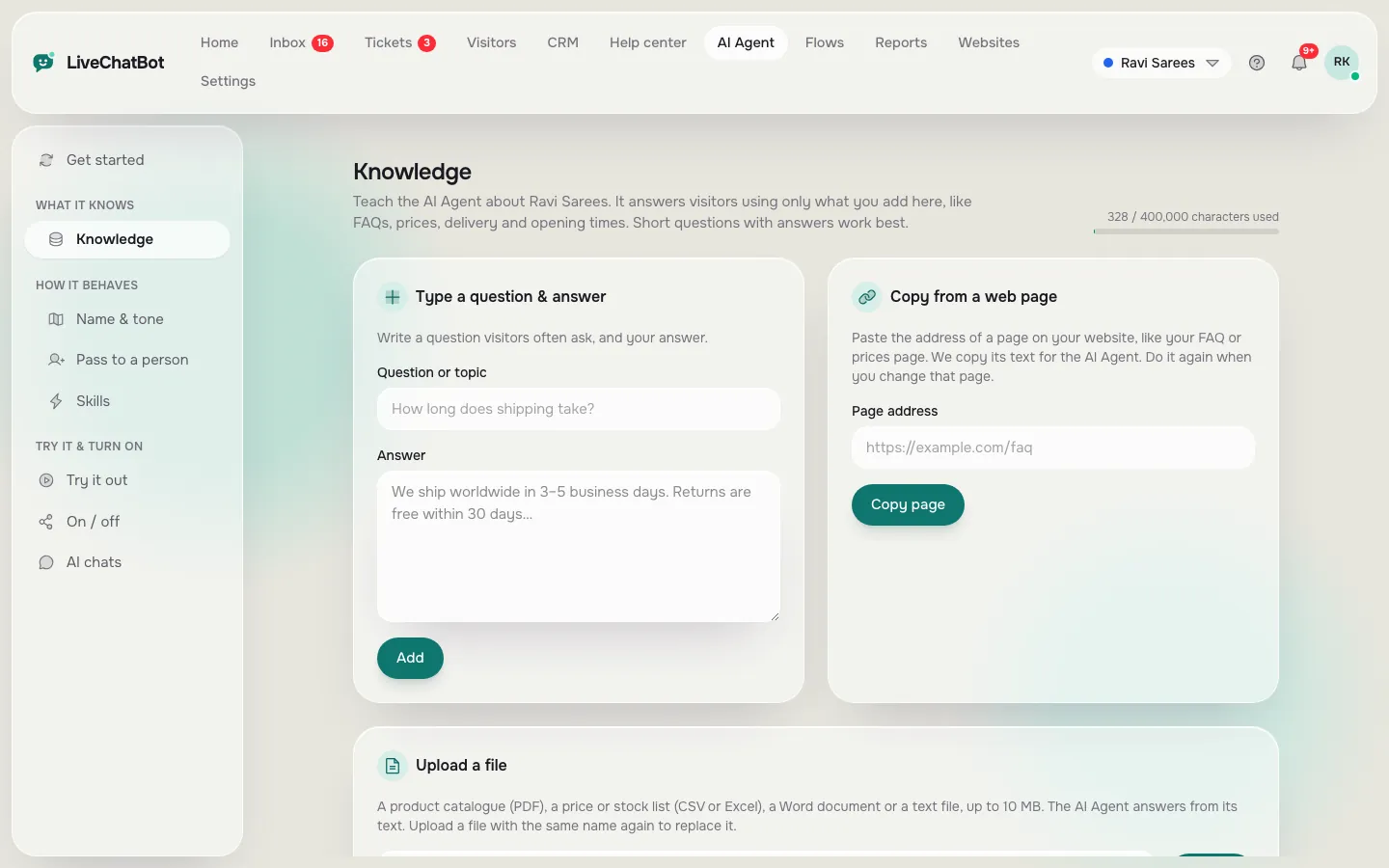
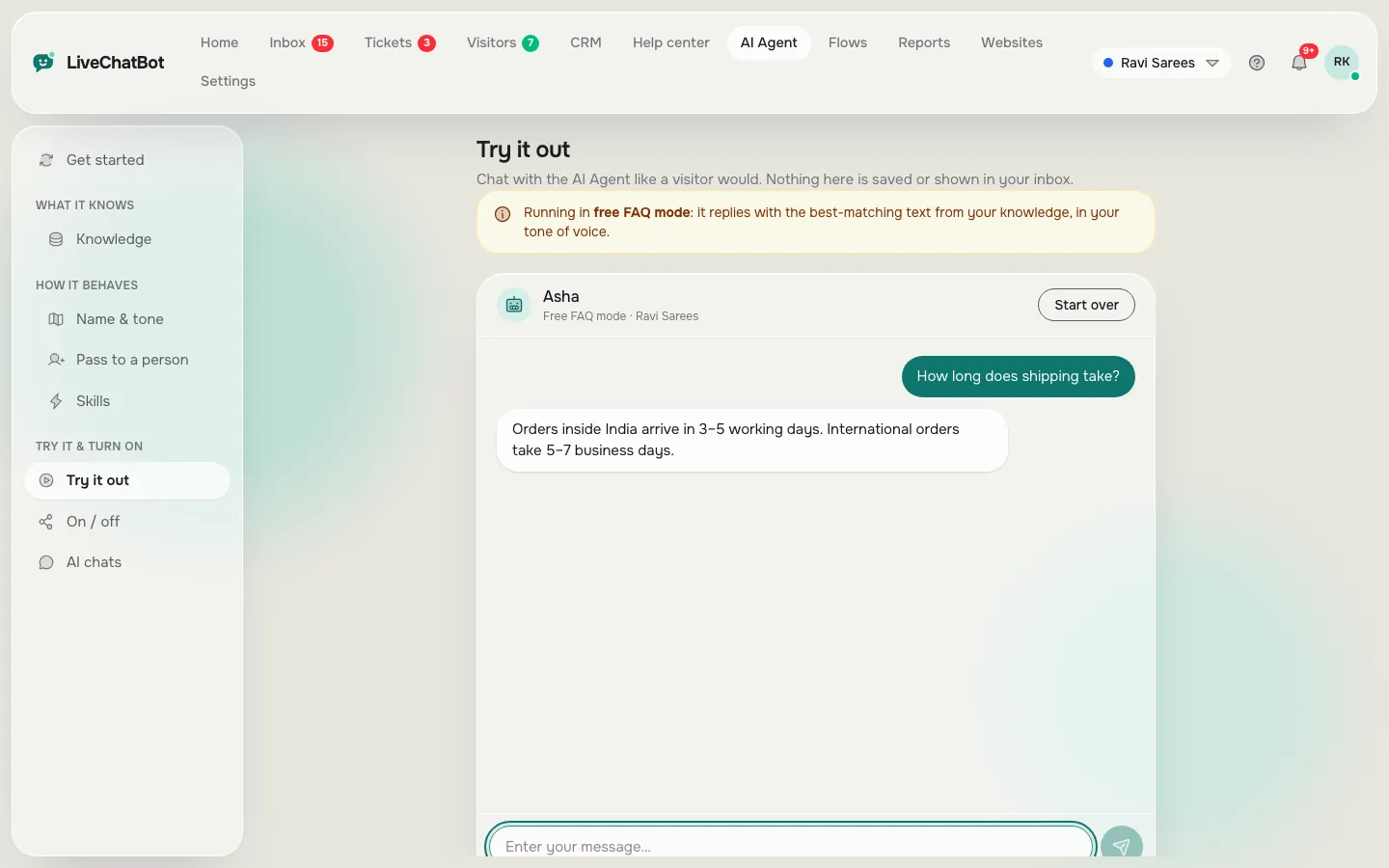
Try it
Check your build before you launch
Tick each part as you finish it. If anything is still open on day six, delay the launch by a day.
Week two
After launch: keeping your own AI chatbot honest
The bot you launch on day seven is a first draft. In week two, read every conversation each morning. Look for three things: answers that were wrong, questions that had no answer, and moments where a person should have stepped in sooner.
Fix each one at the source. A wrong answer means a wrong or missing fact. A missing answer means a new entry. A late handover means a tighter rule. After two weeks the number of fixes drops sharply, and you can move to a weekly check using the Reports area, which shows conversations per day, response times and what the AI Agent resolved without a person. If you would rather start with plain rules, see how to build your own chatbot from keywords first.
Honest limits
What you will not get when you build your own AI chatbot with no code
Building this way is fast, but it has limits worth knowing before you start.
- You cannot choose the AI model or bring your own API key.
- There is no voice input or output, and no sentiment scoring.
- The bot does not check live order status in your own system, so it answers from the facts you gave it.
- “Powered by LiveChatBot” stays on every plan.
If a developer-built bot with custom logic is a must, you will need to code it. For most small sites, the answer-and-hand-over loop above is enough. Our overview of the AI Agent shows what it covers today.
Frequently asked questions
Can I really build your own AI chatbot without coding?
Yes. You write the facts and rules, load them into a no-code tool and test. No model training or server is involved.
How long does it take to build an AI chatbot for a website?
About a week at an hour a day: two days of writing answers, a few of setup and testing, and a soft launch before the full one.
Do I need to train the AI on my data?
Not in the technical sense. You give it knowledge to answer from, by typing, copying a web page or uploading a file.
What does it cost to start?
The free plan costs ₹0 and covers 2 websites with 100 visitors each per month. Starter is ₹299 a month and Growth ₹699.
What if the bot gets something wrong?
Fix the fact it used, add a rule if needed and test again. Keep a person reachable through handover and the away form.
Keep reading
Related guides
Build Your Own Chatbot Starting With Keywords: 15 Saved Replies That Become a Working Bot Before You Add AI
More to read
More guides on this topic
How to Build Your Own Blog AI Agent Builder: Step-by-Step
Build it this week
Start free on livechatbot.in, load your first 20 answers and go live on two pages. Build your own AI chatbot this week.