Best Chatbot Development Platform for a Small Team: Which Criteria Deserve the Most Weight, and What You Are Really Choosing Between (Free Weighted Scorecard)
Best chatbot development platform lists usually rank tools by features, but a small team is really choosing between three different jobs: writing code, drawing flows, or teaching a ready-made bot your facts. This guide separates the three, shows which criteria matter most for each, and gives you a scorecard where you set the weights and score your own shortlist.
⚡ In short
- Decide first whether you want to build a bot, draw one, or teach a ready-made one. The right platform differs for each.
- Most small teams need the third: a bot that answers from their facts and hands over to a person.
- Weight what hurts when it breaks: wrong answers, no handover, hidden costs. Give shiny extras a low weight.
- Use the scorecard with your own shortlist and your own weights.
Three jobs
The best chatbot development platform depends on which job you are hiring it for
The phrase “chatbot development” hides three very different pieces of work.
1. Writing code
You use a framework or an AI model’s API, host the bot yourself and write every behaviour. Total freedom, and total responsibility: hosting, security, updates, a chat window, an inbox for your team. Our chatbot development stages post shows how long that really takes.
2. Drawing flows
You build a decision tree of buttons and messages in a visual editor. Predictable and cheap, but it only handles what you drew. Anything unexpected hits a dead end.
3. Teaching a ready-made bot
You give a hosted bot your facts and rules; it writes the answers, and a person takes over when needed. Little code, quick launch, and the work becomes keeping your facts true. This is the route LiveChatBot’s AI Agent takes.
Be honest about which job you have, because it decides the best chatbot development platform for you. A shop owner with no developer is almost never hiring for job one.
What matters
Five criteria that deserve weight, and two that rarely do
Worth weight
- Answers from your facts. The bot should stay inside what you taught it and say “I am not sure” otherwise. Wrong answers cost sales.
- Handover to a person. Chats must reach your team’s phones, with history, in a shared inbox.
- Time to a working bot. Count hours to a first real answer, not days of features.
- Honest total cost. Monthly price, visitor or message limits, seats, and what happens over the limit.
- Room to connect. An API, webhooks or Zapier, so leads and tickets reach your other tools.
Rarely worth weight
- Model name and version. Customers cannot tell, and you often cannot choose it anyway. In LiveChatBot the provider is set on the server and you cannot pick the model.
- Number of templates. Ten good flows beat two hundred you never open.
Free scorecard
Score your own shortlist
Rename the columns to your candidates. Set how much each criterion matters (1 to 5), then score each platform (0 to 5) after a short trial.
Stays inside what you taught it; admits when unsure
Importance Score Score Score
Team alerts, shared inbox, phone app
Importance Score Score Score
Hours from sign-up to a bot that answers well
Importance Score Score Score
Limits, seats, overage rules, renewals
Importance Score Score Score
API, webhooks, Zapier for leads and tickets
Importance Score Score Score
Real screens
Teaching a ready-made bot: setup and knowledge
Real screens from the LiveChatBot panel, shown with sample data. Click any picture to see it full size.
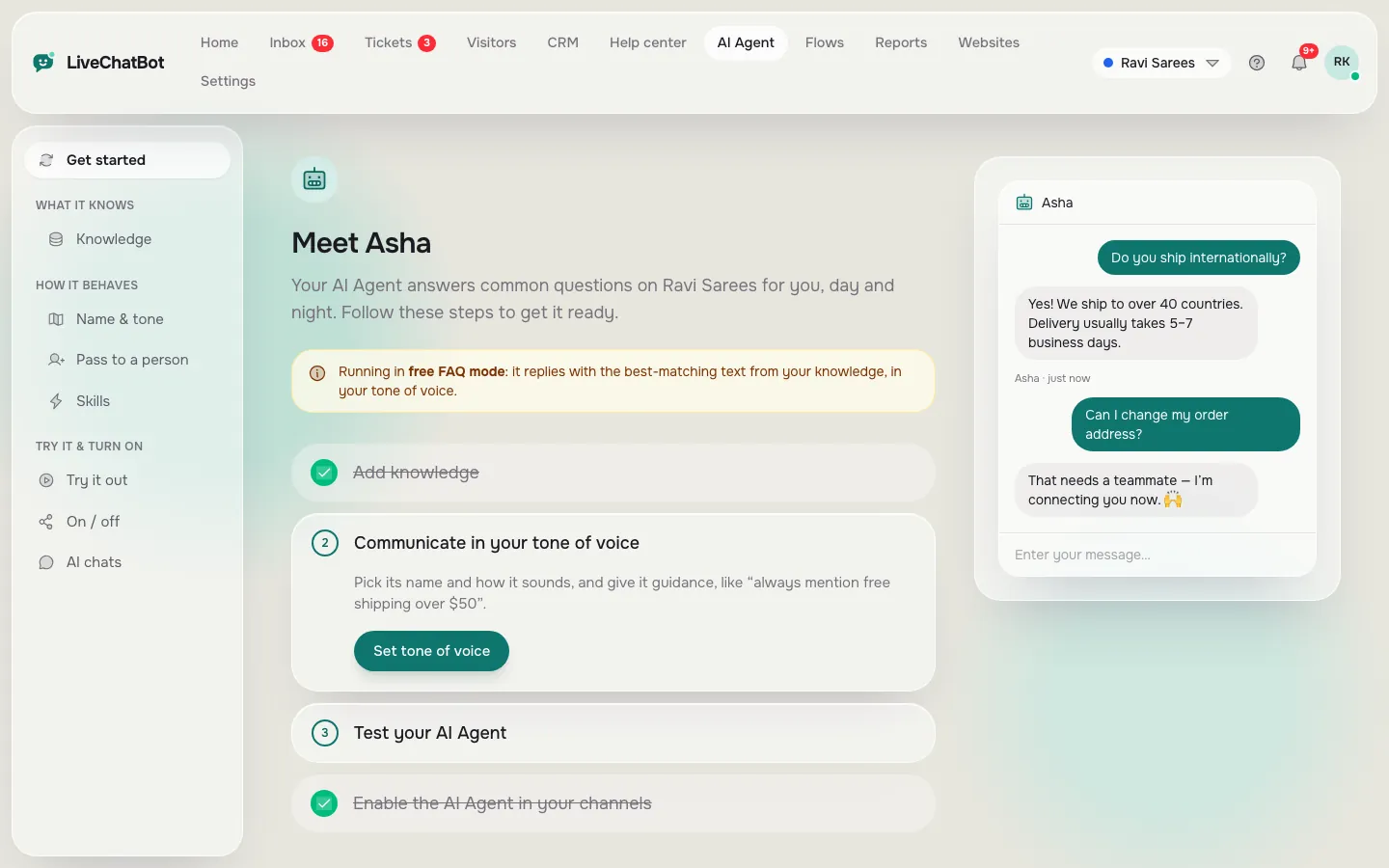
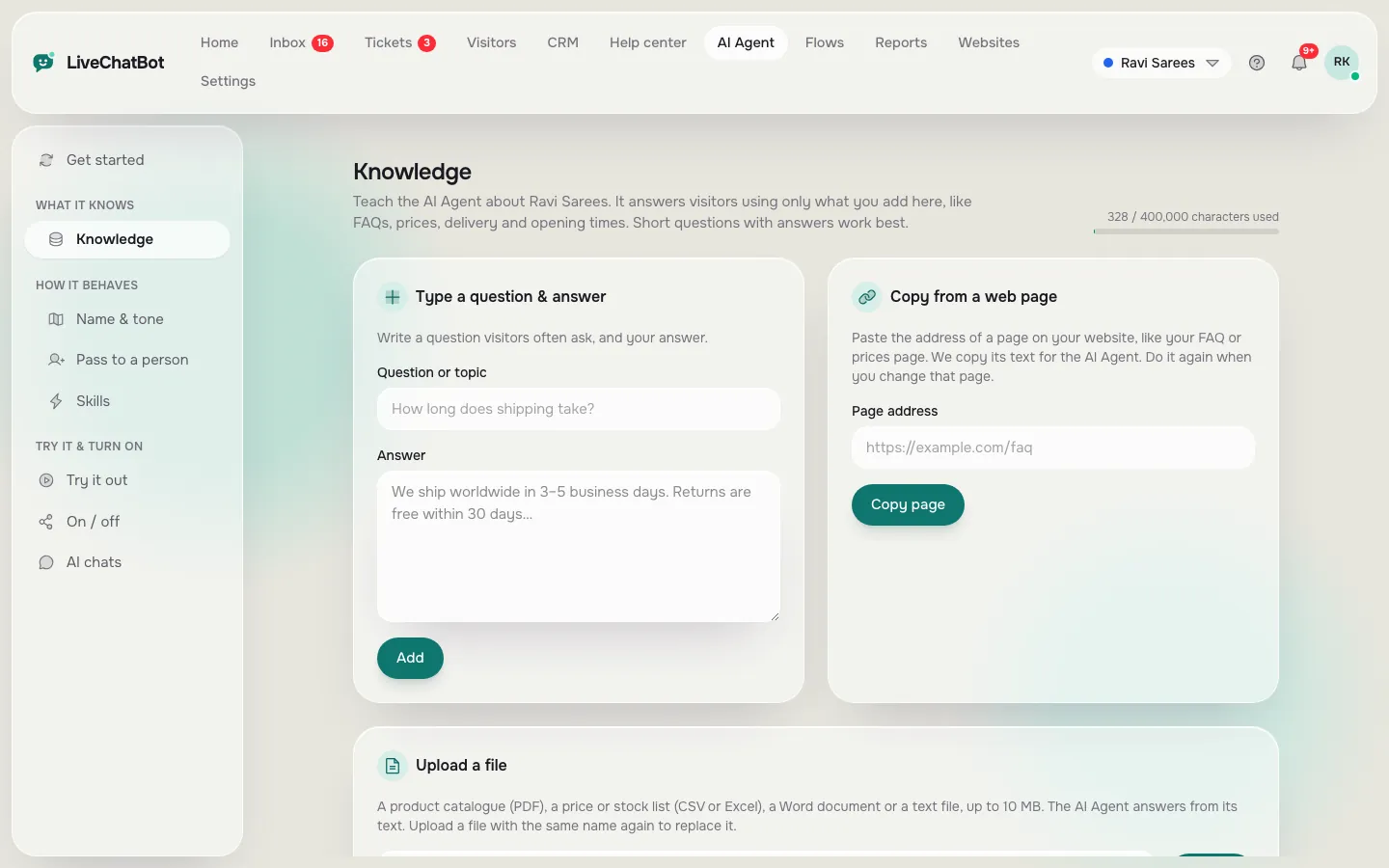
In practice
What development looks like on a ready-made platform
With LiveChatBot the development work is configuration, not code.
- Name and tone. Give the AI Agent a name and tone, and write up to 5,000 characters of rules, such as "never promise delivery dates".
- Knowledge. Type answers, copy a web page, or upload a PDF, Word, Excel, CSV or TXT file. Facts go in Knowledge, behaviour goes in Rules. See how to train your AI chatbot.
- Flows. Add proactive messages with up to six conditions such as page, source, country or visit count. See chat flows.
- Handover. Chats reach the shared inbox and the Android app. After hours the away form collects email or phone.
- Playground. Chat with your own bot and fix gaps before visitors see them.
Rules apply only while a website has AI replies; the free keyword bot answers from saved replies and cannot follow written rules.
For developers
When you do want to write code
A ready-made platform does not mean closed. You can read and write through the REST API, receive webhooks when a ticket is created or solved, and control the widget from the page with the window.LiveChatBot JavaScript API. Zapier covers many other tools without code. Ask our team for developer documentation, and see the integrations page for what is connected.
What you cannot do is replace the AI model, bring your own API key or white label the widget; "Powered by LiveChatBot" stays on all plans. If you need a model you control or a fully branded product, a code framework is the better fit, with the hosting and upkeep that come with it.
Trial week
A one-week trial that settles the choice
Lists and reviews help you shortlist, but only your own questions settle it. Give each platform the same week.
Day 1: set up
Note the hours from sign-up to a bot on a test page. If you are stuck on day one, you will be stuck on day thirty.
Day 2 to 3: teach
Load the same twenty facts everywhere: prices, delivery, opening hours, returns. Then ask each bot ten real questions from your inbox, including two it should not know. Count right answers, honest "not sure" replies and wrong guesses. Wrong guesses are the number to fear.
Day 4: hand over
Ask for a person. Time how long your phone takes to alert you and whether the history arrives with the chat.
Day 5 to 7: live, small
Show the chat on one page only. Read every conversation. Then score the platforms with the scorecard above, using your own weights, and pick the best chatbot development platform for your team on evidence, not on a review. The AI Agent playground makes days two and three quick.
Cost and risk
Count the hidden work before you pick
A code framework looks free until you add hosting, an inbox, a mobile app for your team and someone to fix it at night. A flow builder looks cheap until customers ask questions you did not draw.
For a ready-made option, check limits. LiveChatBot's free plan covers two websites with 100 visitors each a month. Starter is ₹299 a month and Growth ₹699, both prepaid with no auto-renew and no per-seat charges. Details are on the pricing page. Run the scorecard honestly, then try the shortlist for a week with real questions.
Frequently asked questions
What is the best chatbot development platform for beginners?
A ready-made platform where you teach the bot your facts and set rules, with no code. You can launch in an afternoon and improve over time.
Do I need to know programming to build a chatbot?
Not for a hosted AI Agent. You need clear facts and a few hours. Programming matters only if you build on a framework or want custom integrations.
Can I choose which AI model LiveChatBot uses?
No. The provider is set on the server. You control the knowledge, the tone and the rules.
Does LiveChatBot have an API?
Yes: a REST API, webhooks for ticket events, a JavaScript API on the page and Zapier. Ask our team for developer documentation.
How much does it cost to start?
The free plan is ₹0 for two websites. Paid plans start at ₹299 a month, prepaid, with no per-seat charges.
Teach a bot in an afternoon
Free plan for two websites and no code needed. Start free on livechatbot.in.