Free WordPress Chatbot Myths: Seven Things Owners Assume Before Installing, and What Is Actually True (Free Myth-vs-Fact List)
Free WordPress chatbot offers attract a lot of assumptions, and most of them are wrong in one direction or the other. Some owners expect a free tool to do everything. Others assume free means useless. This guide takes seven common beliefs, checks each against how a real free plan behaves, and tells you plainly what LiveChatBot does and does not do.
⚡ In short
- Free rarely means unlimited and rarely means useless. It means limited in a specific way you can check.
- Ask what the free plan counts, what it leaves out and what happens at the limit.
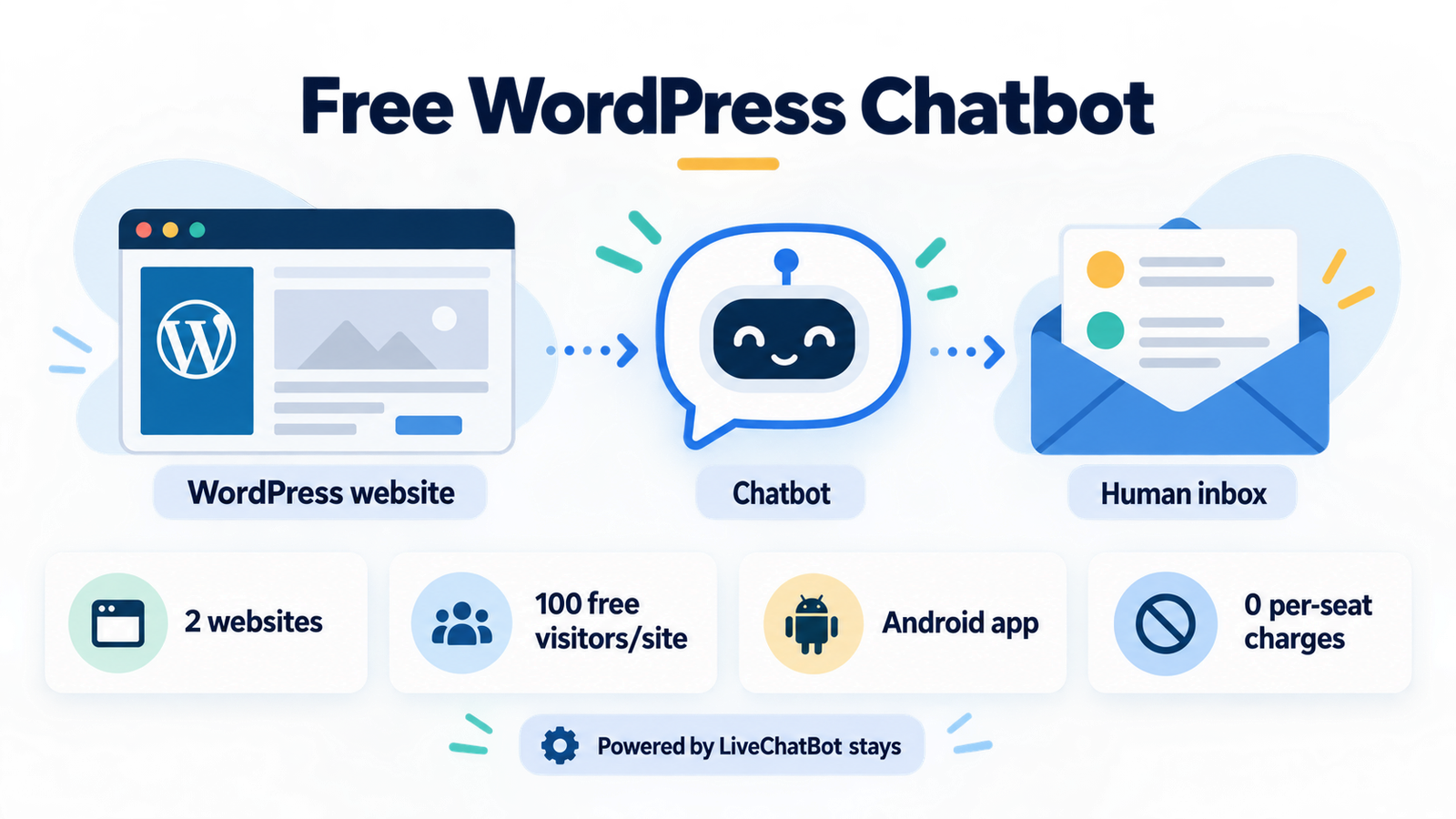
- On LiveChatBot the free plan includes the widget, inbox, Android app, Flows and tickets.
- The badge stays, there is no WhatsApp inbox and there is no iOS team app.
Why myths matter
Wrong assumptions cost you a week
Most people who regret a free tool did not pick a bad one. They assumed something that turned out to be false, and found out after they had written their answers, told their team and published the widget.
A short list of checks before installing saves that week. The seven myths below come up again and again when small-business owners compare chat plugins. For each, you will find what is usually true across the market and what is true for LiveChatBot specifically.
Read the list as a way to build your own questions. Even if you choose a different tool, the same questions apply, and they take about a minute each to ask.
Try it
Seven free WordPress chatbot myths, checked
Each pair shows the belief on the left and the safer way to think about it on the right.
Myths 1 and 2
The free WordPress chatbot limit and the missing-tools myth
The first belief is that free means unlimited. It almost never does. Every plan counts something, and the number is usually on the pricing page in small print. On LiveChatBot it is visitors, 100 per website each month, counted once per visitor.
What happens above the limit
Tracking and alerts continue, and chat pauses for new over-limit visitors until you buy a pack or the month resets. Packs are one-time (100 visitors for ₹99, 500 for ₹299, 1000 for ₹499) and never expire. Nothing is charged automatically.
The second belief, that free plans lack real tools, is also out of date. Many give you a widget and nothing else. LiveChatBot’s free plan includes the inbox, the Android app, Flows, opening hours with an away form, saved replies and tickets. The team can be as large as you like because there are no per-seat charges.
Myths 3 and 4
What a bot can and cannot know about your business
A bot is not a mind reader. The AI Agent answers from the knowledge you give it, such as your hours, prices, delivery rules and policies. If a fact is not there, a good bot should say it does not know and offer a person.
Test this on day one. Ask a question you never taught it, and see whether the reply is honest. A guess that sounds confident is worse than a short “let me check with the team”.
AI versus keyword bot
AI replies have a small free monthly allowance for each website, then you add AI packs. When the allowance is used up, the free keyword bot answers from your saved replies. That means the chat never goes silent, but keyword answers are simpler and match words rather than meaning. Write your saved replies carefully and they will carry you through quiet months.
Myths 5 and 6
Badges and page speed: two worries worth testing
Owners of design-focused sites often ask about the badge first. Be clear: “Powered by LiveChatBot” stays on all plans, free or paid. If you need a completely unbranded widget, this is not the tool.
Page speed deserves a measurement, not an opinion. Run the same page through a speed test before and after adding the chat, on mobile settings, and compare the scores. A chat script that loads after the page content, as chat widgets usually do, should not block what visitors see first.
Test your home page three times before and three times after, and compare the middle results. If the gap is large, check for conflicts with caching or optimisation plugins.
Myth 7
Leaving a free WordPress chatbot is easier than you think
Fear of lock-in keeps many owners on a tool they dislike. The reality is more relaxed than it sounds, provided you keep your own copies.
Your saved replies, FAQ answers and welcome messages are text. Store them in a document or spreadsheet as you write them. Past chats can be read in the inbox, and tickets can be exported through the REST API or sent to other tools by Zapier and webhooks (ticket.created and ticket.solved). Ask our team for developer documentation if you want to automate that.
If you ever switch, deactivate the plugin, remove the widget code and load your text into the next tool. A free plan with no card on file makes this even easier. See integrations for what connects today, and be honest about what does not: there are no native CRM apps, so the connection goes through Zapier or the API.
Next step
Get a free WordPress chatbot running in an afternoon
Sign up, add the LiveChatBot WordPress plugin or paste the widget code, and set your colour, team name and welcome text. Write your twenty most common answers, turn on opening hours and the away form, and install the Android app on the phone of whoever answers.
That is a working setup at no cost, and you will learn more from a week of real conversations than from any comparison table. If you want a wider view first, the guide to the free live chat plugin for WordPress lists what to check on a plugin page. When traffic grows, pick a pack from pricing that matches your busiest month.
Frequently asked questions
Is a free WordPress chatbot good enough for a small business?
Often yes, if the limits match your traffic. Check the visitor allowance, the team tools and what happens when you pass the limit.
Does LiveChatBot charge per team member?
No. There are no per-seat charges, so you can add staff without changing the price.
Will the AI keep answering after the free allowance is used?
The AI Agent needs AI packs after the free monthly allowance. Until then, a free keyword bot answers from your saved replies.
Can I hide the Powered by LiveChatBot badge?
No. It stays on all plans, so choose another tool if a badge-free widget is essential.
Do I need a developer to install it?
No. You add the plugin or paste the widget code, then set colours and text in the dashboard.
Test the facts yourself
Free plan for two websites, no per-seat charges and one-time visitor packs. Start free on livechatbot.in.