Chatbot With Offline Message Capture: Turn After-Hours Visitors Into Tickets You Can Answer in the Morning (Free Setup Checklist)
Chatbot with offline message capture means a visitor who arrives when nobody is online can still leave a way to reach them. Without it, the chat simply sits there and the visitor leaves. This guide shows the full chain on LiveChatBot, from opening hours to the away form to a ticket with an owner, then gives a checklist so you can confirm every link works before a real customer needs it.
⚡ In short
- Offline capture is a chain: opening hours, an away form, a ticket, an owner and a reply.
- LiveChatBot’s away form collects an email or phone, and offline messages can become tickets.
- The weakest link is usually the morning routine, not the software.
- Use the checklist below to test the whole chain once, with your own phone.
The problem
What happens to a visitor when nobody is online
Picture a visitor on your pricing page at 10:40 pm. They have a question about delivery, a quote or a booking. The chat widget says nothing useful, or worse, shows a green dot and then silence.
Most of these visitors will not come back. They are not angry; they just move to the next tab. A tool that captures the message turns that quiet exit into a lead waiting in your inbox at 9 am.
Why small teams lose the most
A big company has night shifts. A one-person shop or a clinic does not. For you, a chatbot with offline message capture is not a nice extra, it is how you stay open when the shutters are down.
What good capture looks like
The visitor sees a clear message that you are away, a short form, and a promise about when they will hear back. You see a named, dated item to deal with, not a lost chat.
The chain
The five links of a chatbot with offline message capture
Treat this as a chain. If any one link is weak, the visitor gets nothing.
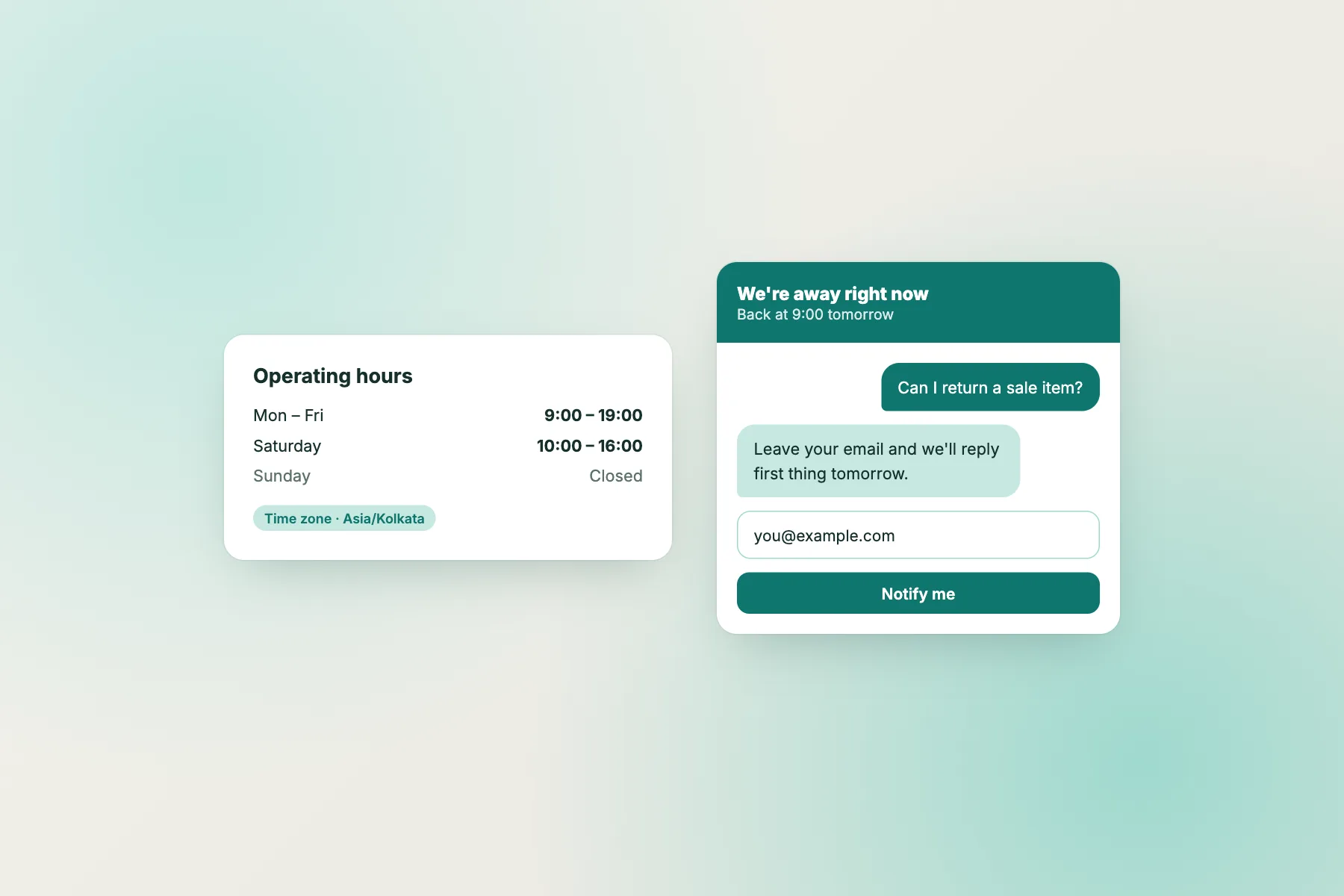
- Opening hours. The widget must know when you are away. Set them per website; see how to set live chat opening hours.
- Away form. When you are closed, LiveChatBot shows a form that collects an email or phone number.
- Ticket. The offline message can become a ticket, with status open, pending or solved, so it does not get buried.
- Owner. A ticket needs a person’s name against it.
- Reply. The customer gets an answer, and can also use the customer ticket page, which needs no login.
The AI Agent can help during hours when you are away, answering from your knowledge, but it should not pretend to be a person. Read the AI Agent page for how it behaves.
Free tool
Offline capture checklist: test every link once
Do each step with your own phone and a private browser window. Tick as you go; the bar shows how safe your after-hours setup is.
Wording
Write the away message so people actually fill it in
The form is short, but the words around it decide whether visitors use it.
Say you are away, clearly
“We are offline right now” is better than a silent widget. Add the time you will be back.
Ask for one thing
Email or phone, not both unless needed. Every extra field loses people. Note that LiveChatBot has no pre-chat form; the capture happens through the away form after hours.
Promise a real time
“We reply within 24 hours” is fine if you mean it. A vague “soon” invites a second chat tomorrow.
Offer an alternative
If it is urgent, add a WhatsApp button card so the visitor can message your number directly. That card opens WhatsApp; it does not bring replies into the LiveChatBot inbox.
For more phrasing ideas, see how to write a live chat welcome message.
Tickets
From offline message to ticket to answer
Once a message becomes a ticket, it has a life. It can be open while you work on it, pending while you wait for the customer, and solved when it is done.
Give it an owner the same morning. Use a saved reply for the first response, personalising it with the visitor’s name, then add detail yourself. Saved replies save the typing, not the thinking.
The customer ticket page lets the person see progress without logging in, which reduces the “any update?” follow-ups. If you want to know more, read how to turn a chat into a support ticket and the guide to saved replies.
One caution: confirm in your own test how the reply reaches the customer, by email or by phone, and write that in your promise. Do not assume it.
Morning routine
Build a ten-minute morning routine around the ticket list
Software captures the message; a habit answers it. Without a routine, offline capture just stores unanswered questions.
- 9:00 Open the ticket list and sort by newest.
- 9:05 Assign owners. One person per website is simpler than a rota.
- 9:10 Send first replies using saved replies, with the name added.
- Midday Check pending tickets that are waiting on a customer.
- End of day Mark solved the ones that are done.
With an Android app, the owner can also be alerted to new chats while out of the office. Keep this routine the same every day for two weeks and the numbers will show you whether after-hours traffic is worth staffing more.
Mistakes
Four mistakes that break after-hours capture
Wrong time zone
Opening hours set in the wrong zone make the away form appear at noon, or hide it at midnight. Test it once.
An unread ticket list
Nobody opens it, so the messages age quietly. Put the check in somebody’s morning.
A promise you cannot keep
Saying “within one hour” on a Sunday night invites complaints. Promise what a tired team can do.
Asking too much
A long form loses people. One contact detail and the message is enough; you can ask the rest in your reply.
Limits
What offline capture on LiveChatBot does not include
Keep expectations realistic.
- No WhatsApp inbox; WhatsApp is a button card that opens your number.
- No iOS team app; iPhone users answer from a browser.
- No automatic SMS or email notification feature that we can promise; if you want an email each time a ticket is created, send ticket.created through a webhook or Zapier. See the integrations page.
- “Powered by LiveChatBot” stays on all plans.
Within those limits, a chatbot with offline message capture on the free plan is simple and cheap. Check pricing for visitor packs if your traffic outgrows the 100 free visitors per website per month.
Frequently asked questions
What is a chatbot with offline message capture?
A chat tool that still collects a visitor’s message and contact details when nobody is online, so you can reply later instead of losing them.
What does the LiveChatBot away form collect?
An email or phone number, along with the visitor’s message.
Can offline messages become tickets?
Yes. Offline messages can become tickets with an owner and a status of open, pending or solved.
Do customers need to log in to see their ticket?
No. The customer ticket page works without a login.
Does the AI Agent replace offline capture?
No. The AI Agent answers from the knowledge you give it, while capture makes sure anything it cannot answer reaches you.
Keep reading
Related guides
Chatbot With Priority Support Routing: Decide Who Jumps the Queue, What LiveChatBot Can Do With Flows and Tickets, and What It Cannot (Free Priority Route Tree)
Omnichannel Chatbot Software: Omnichannel vs Multichannel in Plain English, With a Searchable Glossary and an Honest Look at What a Small Team Needs
Never lose an after-hours visitor again
Opening hours, an away form and tickets on the free plan. Start free on livechatbot.in.