Ten Phone Checks for a Free Live Chat Widget: Thumbs, Keyboards and Slow Connections Before You Go Live
Live chat widget free plans are easy to install and easy to get wrong on a phone. Most of your visitors hold one in one hand, on a slow connection, with a cookie banner already in the way. This guide gives you ten checks to run on a real phone before you go live, with fixes for each, plus what the free LiveChatBot widget includes and what it does not.
⚡ In short
- Test the widget on a real phone, not only a desktop browser squeezed narrow.
- The common failures: the bubble covers a button, the keyboard hides the reply box, or the page feels slower.
- Use “where it shows” and colour and position settings to fix most issues without code.
- Tick the ten checks below, then publish.
Why phones first
A live chat widget free to install still has to work with a thumb
When a widget is free, people install it in five minutes and move on. The desktop preview looks fine, so they assume the phone will too. It often does not.
On a phone, the chat bubble sits on top of content you also need: a buy button, a call button, a cookie notice. The on-screen keyboard takes half the screen. The connection may be slow, so a heavy widget can make the page feel sluggish. And your visitor may be standing in a shop with one hand free.
Mobile visitors are also the ones most likely to ask a quick question and leave if there is no answer. That is why a short phone test is worth more than another hour of colour tweaking.
You need only two things: a real phone, and ten minutes. If you have both an Android and an iPhone, test on both; the widget works in any phone browser.
Quick check
Ten checks on a real phone
Tick each one as you confirm it.
Fixes
Fixing the usual phone problems with the live chat widget free settings
Bubble covering a button
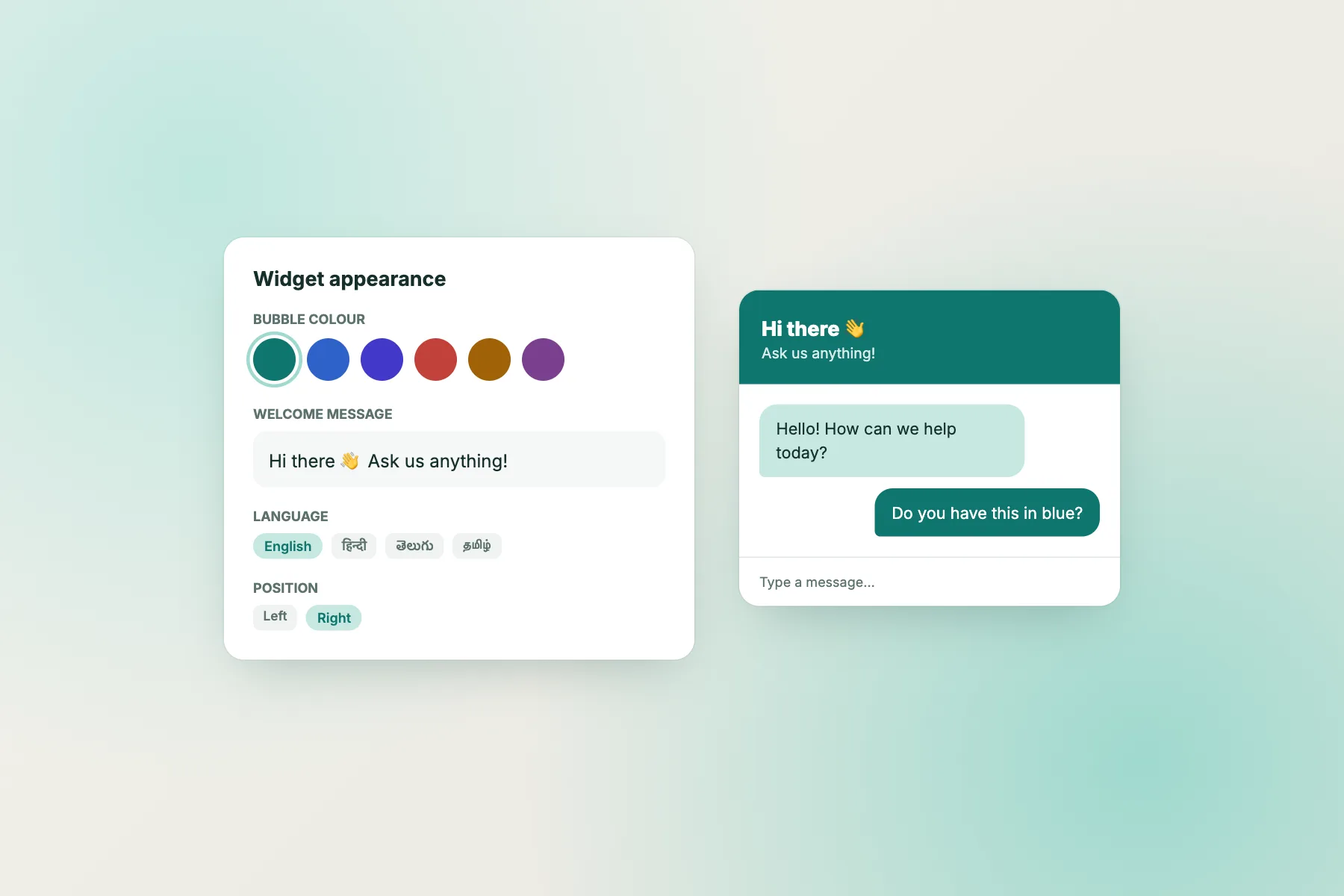
Change the widget position in the settings. If your site puts important buttons bottom right, move the bubble to the bottom left. Our widget customization guide shows where each option sits.
Widget on pages where it gets in the way
Use the “where it shows” settings to choose devices and countries, or to hide the widget on specific pages. The guide to showing chat on specific pages covers the steps.
Welcome text too long
On a small screen, long text pushes the reply box down. Write one short greeting and one question. See how to write a welcome message for examples.
Alerts arriving late
Install the Android app for whoever answers and test it with the phone locked. iPhone users have no team app, so they answer from a browser.
Slow connections
How to test a live chat widget free of lag on a slow connection
Many visitors browse on weak mobile data. A widget that loads late can make the whole page seem broken, so test the worst case, not your office wifi.
Do the simple comparison
Turn on mobile data and switch off wifi. Load your busiest page twice, once with the widget showing and once with it hidden by a page rule. If you can feel a difference, note which page and decide whether chat is worth it there.
Watch the first impression
The bubble should appear quietly, without moving the page around. If content jumps when the widget loads, move the widget or simplify the welcome text.
Keep the rest light
Often the chat is not the slowest thing. Large images and many tracking scripts usually weigh more. Our guide on chat widgets, site speed and SEO explains how to check, and which fixes matter most.
Test the worst day
Repeat the test at a busy hour, since networks slow down when many people use them. If all is well then, you can trust it on an average day. Write down what you saw, with the page name and the date, so that after any later change to your site you can repeat the same test and compare the result honestly.
What is free
What the free live chat widget includes on LiveChatBot
The free plan covers two websites per account. Each gets 100 free visitors a month, counted once when they trigger a new-visitor alert. You get:
- The chat widget with your colour, position, team name and avatar.
- An attention grabber card and widget cards, including a WhatsApp button card.
- A team inbox, the Android app and visitor tracking.
- Flows, opening hours, an away form that collects email or phone, tickets and saved replies.
- A keyword bot, plus an AI Agent with a small free monthly allowance.
There are no per-seat charges. Over the visitor limit, tracking and alerts continue, chat pauses for new over-limit visitors, and nothing is charged automatically. Visitor packs are one-time and never expire: 100 for ₹99, 500 for ₹299, 1,000 for ₹499. Read the free live chat page for details.
Honest gaps
What the free widget does not do
Know these before you install, so nothing surprises you on launch day.
- “Powered by LiveChatBot” stays on all plans, free or paid.
- There is no WhatsApp inbox. The WhatsApp card sends the visitor to your WhatsApp number.
- There is no iOS team app and no pre-chat form.
- Native apps for CRMs and payment tools are not included. Zapier, webhooks and the REST API can connect many tools.
If one of those is a must-have, choose another tool. If not, the widget is a good free fit for a small site. Sign up at livechatbot.in and run the ten checks above before you tell anyone it is live.
Frequently asked questions
Is there a truly free live chat widget?
Yes, with limits. LiveChatBot’s free plan covers two websites with 100 free visitors each per month, no per-seat charges and no automatic charges.
Does the live chat widget free plan work on phones?
Yes. The widget works in mobile browsers. Test position, keyboard behaviour and speed on a real phone using the checks above.
Can I hide the widget on some pages?
Yes. Use the where-it-shows settings to choose devices, countries or pages to hide it on.
Can I remove the Powered by line?
No. It stays on all plans.
Do I need an app to answer chats?
No. You can answer in a browser. An Android app is available for the team; there is no iOS team app.
Keep reading
Related guides
Free Chatbot With Unlimited Messages: What “Unlimited” Hides, the Limits That Replace It and Questions to Ask Before You Trust It
Chatbot Under $5 per Month: Which Route Fits a Five-Dollar Ceiling, and What to Do When Traffic Grows Past It
Cheapest Live Chat Software Today, Cheapest Next Year? Stress-Test Each Price Against More Agents and More Traffic (Free Growth Cost Tester)
Install it, then test it on your phone
Two websites, 100 free visitors per site each month and no per-seat charges. Start on livechatbot.in.