Flows
Start more conversations without lifting a finger
Flows are friendly messages that pop up in the chat bubble at the right moment: a welcome for first-time visitors, help on your pricing page, or a last-minute offer before someone leaves.
⚡ In 30 seconds
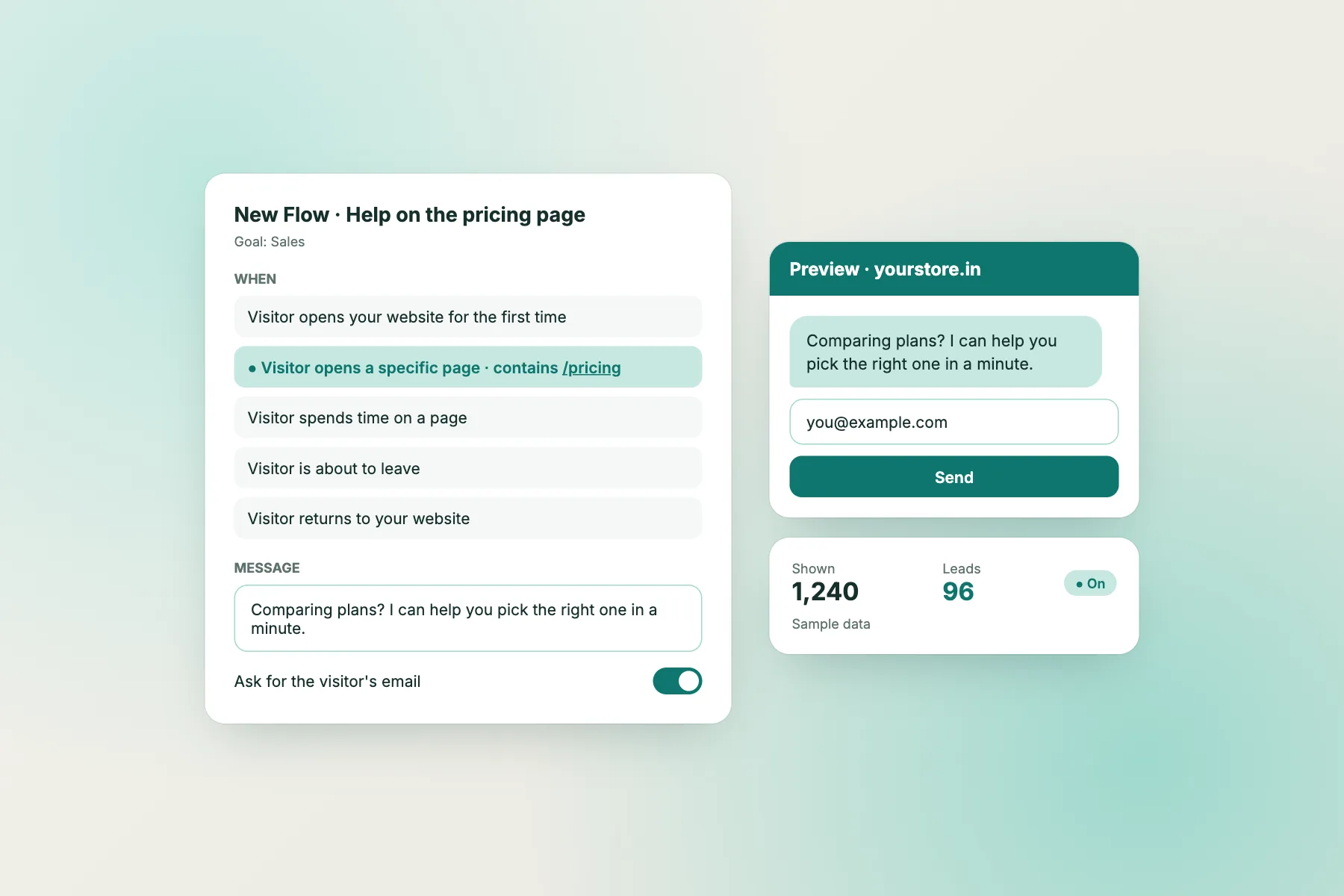
- A Flow = when (a trigger) + what (a message) + optionally ask for an email.
- Choose from 5 triggers and 4 ready-made templates. Setup takes about a minute.
- Each visitor sees a Flow only once, and never while they are already chatting.
Interactive walkthrough
Set up a Flow and watch it work
From choosing a template to seeing the leads it brings in. Click any step, or press Play.
Five moments that matter
Choose when your message appears.
First visit
Welcome people who are new to your website after a short delay.
Time on page
Reach out to visitors who have been reading for a while.
Specific page
Show help on pages like /pricing, /checkout or /contact.
About to leave
Catch desktop visitors as they move to close the tab.
Returning visitor
Welcome back people who already know you.
Ask for an email
Add an email field and a button. Emails go straight to your subscribers.
Which trigger should I use?
Pick by your goal
| If you want to… | Use this trigger | Example message |
|---|---|---|
| Grow your email list | First visit (5–10 seconds) | “Get 10% off your first order. Leave your email!” |
| Help people decide | Specific page: /pricing | “Comparing plans? I can help you pick in a minute.” |
| Save leaving visitors | About to leave | “Before you go, want a little something by email? 🎁” |
| Engage readers | Time on page (45 seconds) | “Enjoying this? Get new posts by email.” |
| Welcome back regulars | Returning visitor | “Welcome back! Anything I can help you find today?” |
| Rescue checkouts | Specific page: /checkout | “Any questions about delivery or payment? Ask me here.” |
Ready-made templates
Start from a proven Flow
Discount for new visitors
Offer first-time visitors a discount in exchange for their email. Shows on first visit.
Newsletter sign-up
Grow your mailing list with visitors who read for a while.
Stop visitors from leaving
Catch visitors on their way out with a last-minute offer.
Help on the pricing page
Offer help to visitors comparing plans or prices.
Tips
How to write a Flow message people answer
Keep it under 20 words
One short sentence and a question. People skim.
Match the page
On /pricing talk about plans. On a blog post, talk about the topic.
Give a reason
A discount, a guide, or quick help. “Subscribe” alone rarely works.
Sound like a person
“Hi! Need help with sizing?” beats “Contact our support team.”
Don’t pop too early
Give people 5–10 seconds to look around first.
Check the numbers weekly
Keep Flows that bring leads, rewrite the ones that don’t.
Example
From a quiet product page to a sale
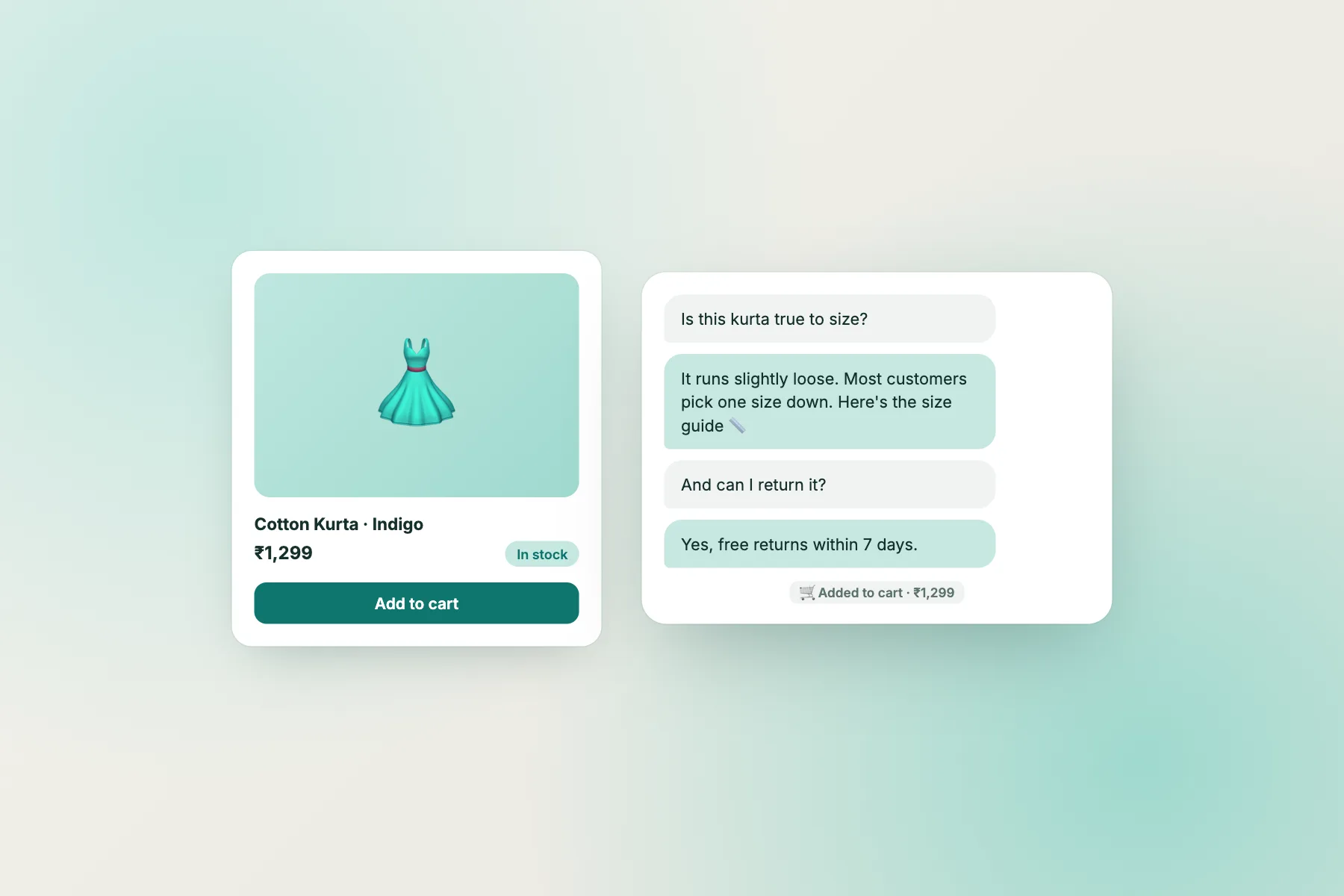
A shopper has been on a kurta page for 40 seconds. A Flow asks, “Need help with sizing?”. They reply, the AI Agent shares the size guide and the return policy, and the item goes into the cart.
Plain-language guide
Words you will see
| Word | What it means |
|---|---|
| Flow | An automatic message that appears in the chat bubble. |
| Trigger | The moment a Flow appears: first visit, time on page, a page, leaving, or returning. |
| Exit intent | When a desktop visitor moves their mouse to close the tab. |
| Subscribers | The list of emails collected by Flows. |
| Shown / Leads | How many visitors saw the Flow, and how many left their email. |
Flow questions
Will Flows annoy my visitors?
Each visitor sees a Flow only once, and never while they are already chatting. Keep messages short and helpful.
Does exit intent work on phones?
Exit intent works on desktop, where we can see the mouse moving to close the tab. Use time-on-page Flows for mobile visitors.
Where do collected emails go?
To Visitors → Subscribers, and onto the visitor’s contact. You can also send them to other tools with webhooks.
How do I test a Flow?
Use the test page link in the Flow editor. Open it in a private window to trigger first-visit Flows again.
Turn quiet visitors into conversations
Free to start. No credit card. Live on your website in about two minutes.